How to Implement AI in Software Development: A Complete Step-by-Step Guide for 2026
Artificial intelligence is no longer a futuristic concept reserved for tech giants — it has become a practical, measurable advantage for businesses of every size. According to McKinsey’s 2025 State of AI report, 72% of organizations have now adopted AI in at least one business function, up from just 50% two years prior. For software development teams specifically, AI implementation is transforming how code is written, tested, deployed, and maintained.
But knowing that AI matters and knowing how to implement AI in software development are two very different challenges. Many organizations struggle with where to begin, which technologies to choose, and how to integrate AI without disrupting existing workflows. This comprehensive guide walks you through every step — from initial assessment to production deployment — so you can implement AI successfully and start seeing real business returns.
Whether you are building custom AI models, integrating pre-trained APIs, or embedding intelligent automation into your software pipeline, this step-by-step roadmap will help you navigate the process with confidence.
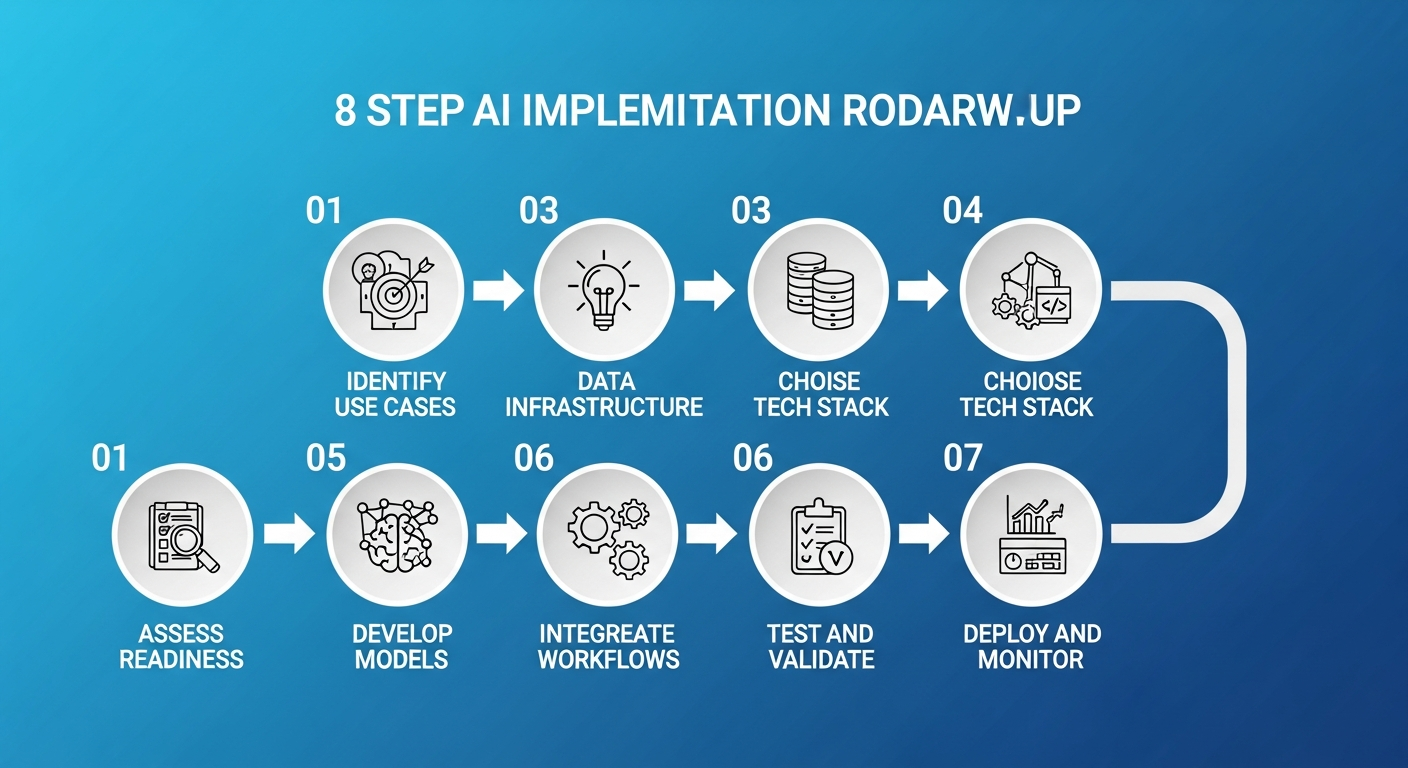
The 8-step roadmap for successfully implementing AI in software development
Why AI Implementation in Software Development Matters in 2026
Before diving into the steps, it is important to understand why AI implementation has moved from “nice to have” to “business critical” in 2026:
- Developer Productivity: GitHub research shows that AI-assisted developers complete tasks up to 55% faster, with significant improvements in code quality and consistency.
- Cost Reduction: Organizations implementing AI in their SDLC report 20-40% reduction in development costs through automated testing, code review, and bug detection.
- Competitive Advantage: Gartner predicts that by 2027, 80% of software engineering organizations will have AI-augmented development teams, making non-AI adoption a competitive risk.
- Quality Improvement: AI-powered testing and code analysis tools catch 30-60% more bugs before production deployment compared to traditional methods.
The question is no longer whether to implement AI, but how to do it effectively. Let us walk through the process step by step.
Step 1: Assess Your Organization’s AI Readiness
Evaluate Your Current State
Every successful AI implementation begins with an honest assessment of where your organization stands. According to Deloitte’s AI readiness framework, organizations should evaluate four key dimensions:
- Data Maturity: Do you have clean, structured, accessible data? AI models are only as good as the data they learn from. Assess your data collection pipelines, storage infrastructure, and data governance practices.
- Technical Infrastructure: Does your current tech stack support AI workloads? Consider compute resources (GPU/TPU availability), cloud infrastructure, and API integration capabilities.
- Team Skills: Do your developers have foundational AI/ML knowledge? Identify skill gaps and plan for training or hiring.
- Business Alignment: Are there clearly defined business problems that AI can solve? Vague goals like “use AI somewhere” lead to failed implementations.
Define Clear, Measurable Objectives
Successful AI projects start with specific, measurable goals. Instead of “improve our software,” define objectives like:
- Reduce average bug detection time from 48 hours to 4 hours using AI-powered code analysis
- Automate 60% of unit test generation for new features within 6 months
- Decrease customer support ticket resolution time by 40% through AI chatbot integration
- Improve deployment success rate from 85% to 97% using predictive failure analysis
These measurable targets will guide every decision throughout your implementation journey and help you quantify ROI when the project is complete.
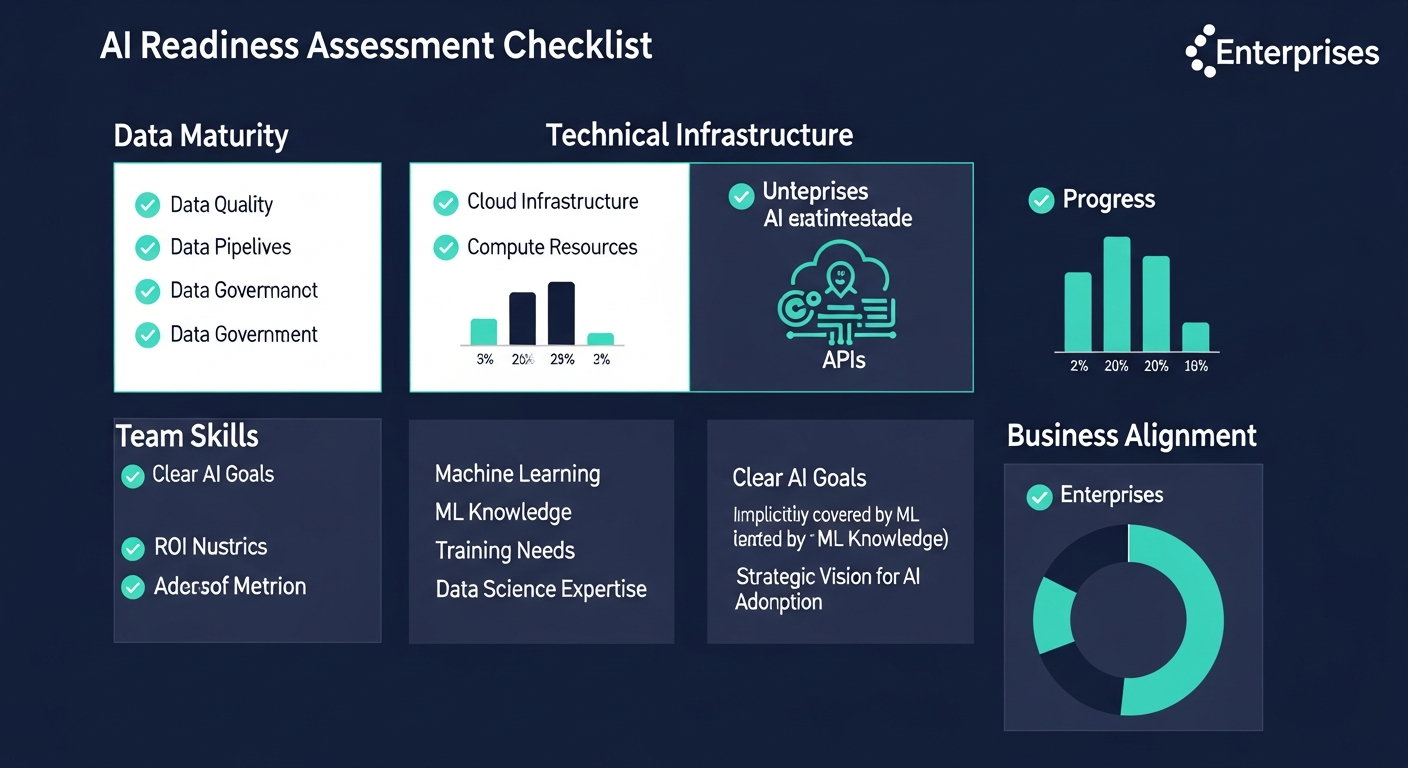
Key dimensions to assess before starting your AI implementation journey
Step 2: Identify High-Impact AI Use Cases
Map AI Opportunities Across the SDLC
AI can be applied at virtually every stage of the software development lifecycle. The key is identifying where it will deliver the highest impact with the lowest implementation risk. Here are the most proven use cases in 2026:
Planning & Requirements Phase:
- AI-powered requirements analysis to detect ambiguities and conflicts
- Effort estimation using historical project data and machine learning
- Automated user story generation from business requirements documents
Development Phase:
- AI code completion and generation (GitHub Copilot, Amazon CodeWhisperer, Tabnine)
- Intelligent code review with automated suggestions
- Real-time security vulnerability detection during coding
- Automated documentation generation from code
Testing Phase:
- AI-generated test cases from code changes and requirements
- Visual regression testing with computer vision
- Predictive test selection — run only tests likely affected by changes
- Automated API testing and contract validation
Deployment & Operations Phase:
- Predictive failure analysis before deployment
- AI-driven monitoring and anomaly detection in production
- Automated incident response and root cause analysis
- Intelligent resource scaling based on usage patterns
Prioritize Using an Impact-Effort Matrix
Not all use cases are equal. Rank each opportunity on two axes: business impact (high to low) and implementation effort (easy to hard). Start with high-impact, low-effort opportunities — these “quick wins” build momentum and stakeholder confidence before tackling more complex AI initiatives.
For most organizations, Harvard Business Review recommends starting with AI-assisted code completion and automated testing as the two highest-ROI entry points for software development teams.
Step 3: Build or Acquire the Right Data Infrastructure
Data Is the Foundation of AI
The most common reason AI projects fail is not the algorithm — it is the data. Gartner reports that poor data quality is responsible for over 60% of AI project failures. Before writing a single line of AI code, ensure your data foundation is solid:
For Code-Related AI:
- Centralize your code repositories with consistent branching and commit standards
- Maintain comprehensive commit history and code review records
- Standardize coding conventions across teams for consistent training data
- Build structured datasets from bug reports, test results, and deployment logs
For Business-Logic AI:
- Implement data pipelines (ETL/ELT) for clean, deduplicated data flows
- Set up data warehousing or lakehouse architecture (Snowflake, Databricks, BigQuery)
- Establish data governance policies including privacy compliance (GDPR, CCPA)
- Create labeled datasets for supervised learning tasks
Data Security and Privacy Considerations
When implementing AI, data security is paramount. According to Cisco’s Data Privacy Benchmark Study, 94% of organizations say customers will not buy from them if data is not properly protected. Ensure:
- Sensitive data is anonymized or encrypted before being used for model training
- Access controls are enforced on training datasets and model outputs
- Regulatory compliance is maintained throughout the AI pipeline
- Model outputs do not leak proprietary or personal data
Step 4: Choose Your AI Technology Stack
Key Technology Decisions
Your technology choices will depend on your use cases, team capabilities, and infrastructure preferences. Here is a framework for making these decisions:
Build vs. Buy vs. Integrate:
- Build Custom Models: Best for unique business logic, proprietary data advantages, or competitive differentiation. Requires ML engineering expertise and significant compute resources.
- Buy SaaS AI Products: Best for standard use cases (code completion, testing, monitoring). Faster time-to-value, lower upfront investment. Tools like GitHub Copilot, Snyk AI, and Datadog AI fit here.
- Integrate via APIs: Best for adding AI capabilities to existing applications. Use pre-trained models from OpenAI, Anthropic, Google, or AWS through their APIs. Balances customization with speed.
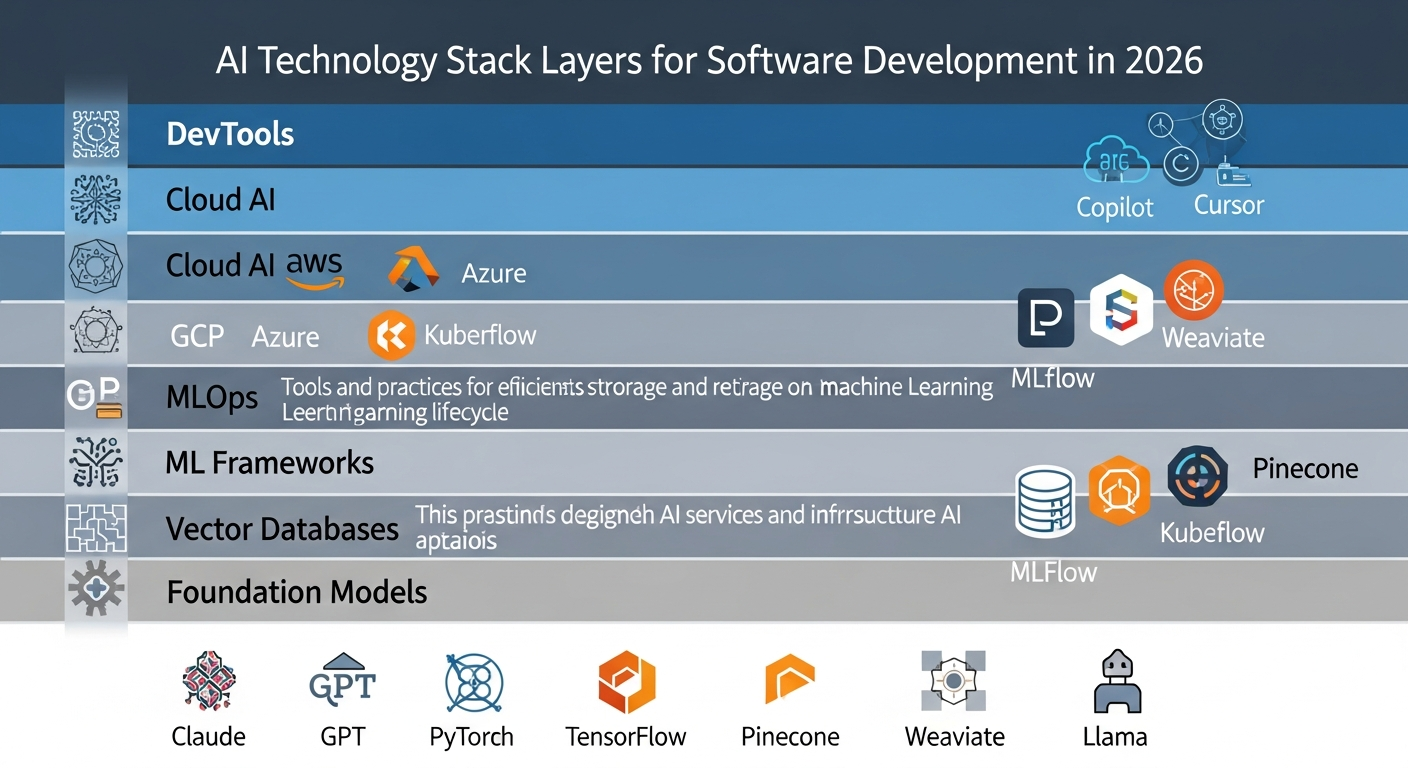
Recommended AI technology stack layers for enterprise software development in 2026
Recommended Technology Stack for 2026:
| Layer | Options | Best For |
|---|---|---|
| LLM / Foundation Models | Claude (Anthropic), GPT-4o (OpenAI), Gemini (Google), Llama 3 (Meta) | Code generation, documentation, natural language interfaces |
| ML Frameworks | PyTorch, TensorFlow, JAX, Hugging Face Transformers | Custom model training and fine-tuning |
| MLOps Platforms | MLflow, Kubeflow, Weights & Biases, SageMaker | Model versioning, experiment tracking, deployment pipelines |
| Vector Databases | Pinecone, Weaviate, Milvus, Chroma, pgvector | RAG implementations, semantic search, knowledge bases |
| Cloud AI Services | AWS Bedrock, Azure AI, Google Vertex AI | Managed AI infrastructure, model hosting, scaling |
| AI DevTools | GitHub Copilot, Cursor, Claude Code, Amazon Q Developer | AI-assisted coding, code review, refactoring |
Architecture Patterns for AI Integration
Choose the right integration architecture based on your requirements:
- Retrieval-Augmented Generation (RAG): Combine LLMs with your own data using vector databases. Ideal for internal knowledge bases, documentation search, and context-aware code assistance. Research on RAG architecture shows it significantly reduces hallucinations while keeping responses grounded in your data.
- Fine-Tuning: Customize pre-trained models on your specific codebase or domain data. Best when you need consistent, domain-specific outputs that generic models cannot provide.
- Agent-Based Architecture: Deploy AI agents that can autonomously execute multi-step tasks (research, code, test, deploy). Emerging as the dominant pattern for complex AI-powered development workflows.
- Microservices + AI: Add AI capabilities as separate microservices that existing applications call via APIs. Lowest-risk integration approach for legacy systems.
Step 5: Develop and Train AI Models (or Integrate Pre-Built APIs)
Path A: Custom Model Development
If your use case requires custom models, follow this process:
- Data Preparation: Clean, label, and split your data into training (80%), validation (10%), and test (10%) sets. Ensure balanced representation across all categories.
- Model Selection: Start with proven architectures. For NLP tasks, transformer-based models (BERT, GPT variants) are standard. For computer vision, use ResNet, EfficientNet, or Vision Transformers.
- Training: Use cloud GPU instances (AWS p4d, Google TPU v4, Azure NDm) for training. Track experiments with MLflow or Weights & Biases. Implement early stopping and learning rate scheduling.
- Evaluation: Measure performance using appropriate metrics — accuracy, F1-score, precision, recall for classification; BLEU, ROUGE for generation; latency and throughput for production readiness.
- Iteration: Refine based on error analysis. Common improvements include data augmentation, hyperparameter tuning, and ensemble methods.
Path B: API Integration (Recommended Starting Point)
For most organizations, integrating pre-built AI APIs is the fastest path to value. Here is a practical implementation approach:
# Example: Integrating AI code review into your CI/CD pipeline
import anthropic

client = anthropic.Anthropic(api_key="your-api-key")

def ai_code_review(diff_content, context):
    """Automated AI code review for pull requests"""
    response = client.messages.create(
        model="claude-sonnet-4-20250514",
        max_tokens=2000,
        messages=[{
            "role": "user",
            "content": f"""Review this code diff for:
            1. Security vulnerabilities
            2. Performance issues
            3. Code quality concerns
            4. Best practice violations

            Context: {context}
            Diff: {diff_content}"""
        }]
    )
    return response.content[0].text
This approach lets you start delivering value within days rather than months, while building organizational AI literacy that supports more ambitious implementations later.
Step 6: Integrate AI into Existing Software Workflows
CI/CD Pipeline Integration
The most impactful place to integrate AI is directly into your existing development workflows. This ensures AI becomes a natural part of how your team works, not an additional burden:
- Pre-Commit Hooks: Run AI-powered linting and security scanning before code is committed. Catches issues at the earliest possible stage.
- Pull Request Automation: Trigger AI code review on every PR. Provide automated summaries, identify potential issues, and suggest improvements before human reviewers engage.
- Automated Testing: Generate and execute AI-powered tests as part of your CI pipeline. AI can identify edge cases that human testers often miss.
- Deployment Gates: Use AI-powered risk assessment before deployments. Analyze code changes, historical failure patterns, and system dependencies to predict deployment success probability.
IDE and Developer Experience Integration
AI tools should feel like a natural extension of the developer’s environment:
- Install AI coding assistants (GitHub Copilot, Cursor, Claude Code) as IDE extensions
- Configure AI-powered autocomplete with your team’s coding standards and patterns
- Set up AI-assisted debugging that can analyze stack traces and suggest fixes
- Enable AI documentation generation that updates as code changes
API Gateway Pattern for AI Services
When integrating multiple AI services, implement an API gateway pattern to centralize AI interactions:
- Single point of entry for all AI API calls
- Centralized rate limiting, caching, and cost tracking
- Easy model swapping without changing application code
- Consistent logging and monitoring across all AI services
- Fallback logic when primary AI services are unavailable
Step 7: Test, Validate, and Iterate
AI-Specific Testing Strategies
Testing AI systems requires approaches beyond traditional software testing:
Functional Testing:
- Test AI outputs against known ground truth datasets
- Verify that AI recommendations are consistent and reproducible (where applicable)
- Test edge cases and boundary conditions specific to your domain
- Validate that AI outputs conform to expected formats and schemas
Performance Testing:
- Measure inference latency under various load conditions
- Test throughput limits and auto-scaling behavior
- Monitor memory usage and GPU utilization
- Benchmark against baseline (non-AI) performance metrics
Safety and Bias Testing:
- Test for biased outputs across different input demographics
- Verify content safety filters are working correctly
- Test prompt injection resistance for user-facing AI features
- Validate that AI does not expose sensitive training data
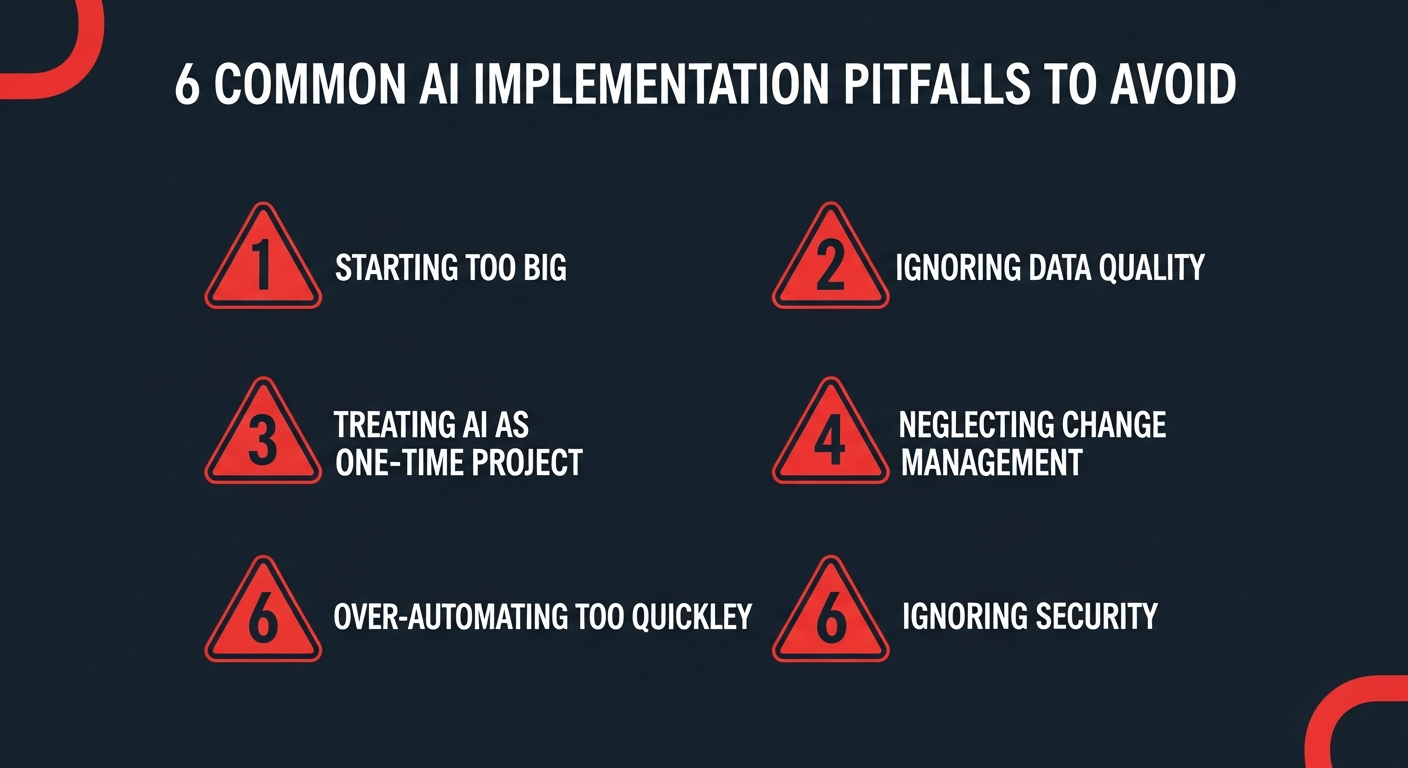
Critical pitfalls to avoid during AI implementation in software development
A/B Testing and Gradual Rollout
Never deploy AI features to 100% of users on day one. Use a graduated approach:
- Internal dogfooding: Your development team uses the AI feature first (1-2 weeks)
- Beta group: Expand to 5-10% of users or a single team (2-4 weeks)
- Controlled rollout: 25% → 50% → 75% with monitoring at each stage
- Full deployment: 100% rollout with established monitoring and rollback procedures
At each stage, compare AI-assisted outcomes against non-AI baselines using metrics like task completion time, error rates, and user satisfaction scores.
Step 8: Deploy to Production and Monitor Performance
Production Deployment Checklist
Before going live, ensure these critical components are in place:
- Model Serving Infrastructure: Use dedicated model serving platforms (TensorFlow Serving, TorchServe, Triton Inference Server) or managed services (AWS SageMaker Endpoints, Azure ML Endpoints) for reliable, scalable inference.
- Monitoring and Observability: Implement comprehensive monitoring that tracks model accuracy, latency, throughput, error rates, and data drift. Tools like Prometheus, Grafana, and Datadog work well alongside specialized ML monitoring platforms like Evidently AI or WhyLabs.
- Rollback Mechanisms: Have a one-click rollback to the previous model version or non-AI fallback. AI systems can degrade unpredictably, so fast rollback capability is essential.
- Cost Management: Set up alerts and budgets for AI API costs. A single misconfigured loop can generate thousands of dollars in API charges overnight.
Ongoing Model Monitoring
AI models degrade over time as data distributions shift. Implement continuous monitoring for:
- Data Drift: Monitor input data distributions to detect when they diverge from training data. This is the most common cause of model performance degradation.
- Model Accuracy: Track real-world accuracy metrics against benchmarks established during testing. Set automated alerts for significant drops.
- Feedback Loops: Collect user feedback on AI outputs (thumbs up/down, corrections, overrides) to build datasets for model improvement.
- Retraining Pipelines: Automate model retraining on fresh data at regular intervals (weekly, monthly) or trigger-based on performance thresholds.
Common Pitfalls to Avoid When Implementing AI
Based on analysis of hundreds of enterprise AI implementations, Harvard Business Review identifies these as the most common causes of failure:
1. Starting Too Big
Many organizations attempt a massive, transformative AI project as their first initiative. This is a recipe for failure. Start with a small, well-defined use case that can deliver results within 8-12 weeks. Build from success, not ambition.
2. Ignoring Data Quality
The “garbage in, garbage out” principle applies more strongly to AI than any other technology. Invest 60-70% of your initial effort in data preparation, cleaning, and validation. The model training itself is often the easy part.
3. Treating AI as a One-Time Project
AI is not a “set and forget” technology. Models need continuous monitoring, retraining, and improvement. Budget for ongoing maintenance — typically 15-25% of the initial implementation cost annually.
4. Neglecting Change Management
Technical implementation is only half the battle. If developers do not trust or understand the AI tools, adoption will be low regardless of how good the technology is. Invest in training, communicate the benefits clearly, and address concerns proactively.
5. Over-Automating Too Quickly
Removing humans from the loop too early creates risk. Start with AI-assisted (human-in-the-loop) workflows where AI provides suggestions but humans make final decisions. Gradually increase automation as trust and accuracy are validated.
6. Ignoring Security and Compliance
AI introduces new attack surfaces — prompt injection, data poisoning, model extraction. According to Gartner, organizations must implement AI-specific security measures alongside traditional application security.
Real-World AI Implementation Examples
Example 1: AI-Powered Code Review Pipeline
A mid-sized fintech company implemented AI code review as their first AI initiative. They integrated Claude API into their GitHub Actions workflow, automatically reviewing every pull request for security vulnerabilities, performance issues, and coding standard violations. Results after 6 months:
- 42% reduction in production bugs
- Code review cycle time decreased from 2 days to 4 hours
- Security vulnerabilities caught before merge increased by 67%
Example 2: Automated Test Generation
An enterprise SaaS company built an AI system that analyzed code changes and automatically generated relevant unit tests. Using a combination of fine-tuned models and RAG with their existing test patterns, they achieved:
- 70% of unit tests auto-generated with 85% acceptance rate
- Test coverage improved from 62% to 89% across the codebase
- Developer time spent on test writing reduced by 55%
Example 3: Predictive Incident Management
A large e-commerce platform implemented ML-based anomaly detection on their production metrics. The system analyzed patterns across 200+ microservices to predict failures before they impacted users:
- 65% of incidents predicted 15-30 minutes before user impact
- Mean time to resolution (MTTR) decreased by 48%
- Downtime reduced by 72% year-over-year
Your AI Implementation Roadmap: Timeline and Budget
Typical Implementation Timeline
| Phase | Duration | Key Activities |
|---|---|---|
| Assessment & Planning | 2-4 weeks | Readiness assessment, use case identification, team alignment |
| Data Preparation | 3-6 weeks | Data collection, cleaning, pipeline setup, governance |
| Development & Integration | 4-8 weeks | Model development/API integration, workflow setup |
| Testing & Validation | 2-4 weeks | Quality testing, A/B testing, security review |
| Deployment & Monitoring | 2-3 weeks | Gradual rollout, monitoring setup, team training |
Total estimated timeline: 13-25 weeks for a first AI implementation project, depending on complexity and organizational readiness.
Budget Considerations
AI implementation costs vary significantly based on approach. For a comprehensive breakdown, see our guide on how much AI software development costs in 2026. As a general framework:
- API Integration (Simplest): $10,000-$50,000 for initial setup plus $500-$5,000/month in API costs
- SaaS AI Tools: $20-$100/developer/month for tools like GitHub Copilot, plus integration engineering costs
- Custom Model Development: $50,000-$500,000+ depending on complexity, data requirements, and compute needs
- Ongoing Maintenance: Budget 15-25% of initial implementation cost annually for monitoring, retraining, and improvements
Conclusion: Start Small, Think Big, Move Fast
Implementing AI in software development is not a single project — it is a transformative journey that reshapes how your organization builds, tests, and delivers software. The eight steps outlined in this guide provide a proven framework that has helped organizations of all sizes successfully integrate AI into their development workflows.
The most important takeaway is this: start now, start small, and iterate relentlessly. Begin with a single, well-defined use case that aligns with your team’s readiness and business priorities. Build internal expertise and confidence through early wins. Then expand systematically based on data-driven results.
In 2026, AI-augmented software development is not a competitive advantage — it is a competitive requirement. Organizations that master AI implementation today will be the industry leaders of tomorrow. Those that wait risk falling irreversibly behind.
The step-by-step roadmap is clear. The technology is mature. The question is no longer “how” but “when will you start?”
Ready to implement AI in your software development process? Contact DreamzTech’s AI implementation experts for a free consultation and customized implementation roadmap tailored to your organization’s needs and goals.
About DreamzTech
DreamzTech is a leading AI and software development company helping enterprises worldwide implement cutting-edge AI solutions. From generative AI development to custom LLM solutions, our team of AI specialists delivers end-to-end implementation services that drive measurable business outcomes. With a proven track record across fintech, healthcare, e-commerce, and enterprise SaaS, we help organizations navigate the AI transformation journey with confidence.
Related reading: How AI Is Transforming Custom Software Development in 2026 — our comprehensive guide to AI-augmented development.