Custom Digital Signage Software for ATMMS MediaBox Operations

Custom Digital Signage Software for ATMMS MediaBox Operations

Custom Software Development • Digital Signage • Connected Devices

DreamzTech modernized the JBC MediaBox platform for ATM Merchant Systems (ATMMS), creating a clearer way to organize content, schedule presentations, activate players, monitor playback, manage portal access and coordinate the inventory behind deployed devices.

  • Client ATM Merchant Systems (ATMMS)
  • Industry Digital Signage and Media Technology
  • Solution Custom Digital Signage Software and Content Management Portal
  • Product JBC MediaBox Digital Signage Platform

Explore Custom Software Development →  |  Talk to a Software Modernization Expert

Build Your Digital Signage Platform
Custom Digital Signage Software for ATMMS MediaBox Operations
Trusted By Startups, SMBs to Fortune 500 Brands

Quick Answers

Overview

JBC MediaBox turns compatible displays into remotely managed digital signs and menu screens. Its web portal lets customers upload media, arrange presentations and send content to players, while downloaded content can continue to play without a constant internet connection. As the product expanded, the software also needed to support device sales, paid portal access, activation, customer locations, inventory, invoicing, analytics and service operations.

DreamzTech evolved the existing ASP.NET MVC and SQL Server application without replacing the product's working foundation. The engagement focused on reducing unnecessary steps for customers and giving administrators a more connected operational view across digital content and physical media players. This build extends DreamzTech's custom software development practice into a live, named-client digital signage modernization.

The Challenges

The platform had to become easier for customers to use while preserving the operational rules behind device sales and pay-as-needed portal access.

How the Digital Signage Workflow Works

The Solution DreamzTech Delivered

DreamzTech connected the customer publishing journey with the back-office workflows needed to sell, activate, support and track a growing fleet of digital signage players.

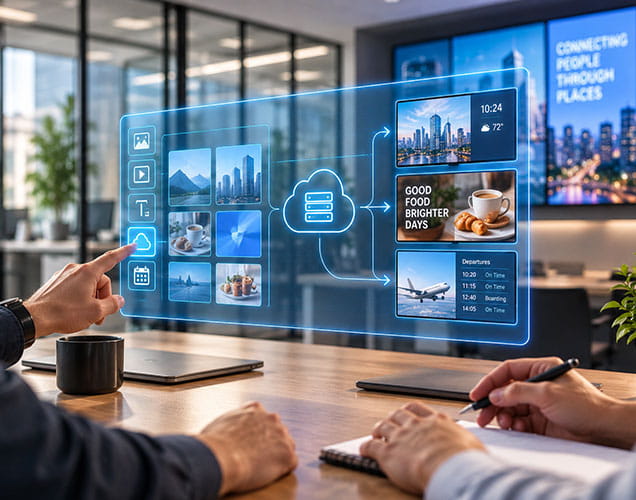
The original four-page sequence was redesigned around two focused workspaces: a Content Library Manager and Create Presentation. Users can batch-upload files, review thumbnails, select media, reorder items, configure timing and transitions, preview the result and assign one presentation to multiple players grouped by location.

Scheduling supports start and end controls, open-ended schedules, selected weekdays and multiple rules for recurring content. Landscape or portrait orientation can be chosen earlier in setup, reducing avoidable configuration changes later in the workflow.

Each dispatched device can be associated with a QR or alphanumeric activation code. A customer can create an account after purchase, enter the code and attach the player to a location. Administrators can review code status and assignment, while multi-unit buyers can use a controlled bulk-activation process.

The portal records content playback history and hours by presentation, player and date, with administrative reporting and CSV export. Device-status data adds last-seen context and helps surface players that may need attention; heartbeat behavior depends on supported device firmware.

Customers can see locations, the players assigned to each location and the portal-access time associated with those players. Administrators can view devices across customers with location, plan and status context, then enter a customer support view when authorized to troubleshoot more efficiently.

The pay-as-needed access model was reinforced by correcting how purchased time is applied and displayed. Administrators can also record direct or offline sales, capture payment details and generate a conventional PDF invoice without requiring a credit-card transaction.

Barcode- and serial-aware dispatch workflows update stock when devices leave the warehouse, while returns restore inventory with a reason and movement history. The delivered enhancements also support orders containing multiple device serials and shipment legs across customer locations.

The solution reused established ASP.NET MVC controller, service and view-model patterns, Razor views, JavaScript, SQL Server and the existing PDF-generation layer. Database changes were additive and designed to preserve historical customer and transaction data.

Solution Architecture

The modernization worked within the product's existing architecture rather than replacing it, layering new capability onto proven application and data foundations.

Success and Outcomes

The documented result is a clearer, more operationally connected digital signage platform. The case study presents these qualitative outcomes unless ATMMS approves measured data.

Simpler Publishing Journey

The core content process moved from four pages to two purpose-built workspaces.

More Precise Content Control

Recurring schedules, open-ended playback, orientation and multi-player assignment are managed in the same journey.

Scalable Device Onboarding

Activation codes support post-purchase registration for direct, marketplace and bulk device sales.

Better Fleet Visibility

Dashboards connect customers, locations, players, playback records and device-status context.

Cleaner Revenue Operations

Portal-access purchases, offline sales and printable invoices follow clearer business rules.

Stronger Inventory Traceability

Serial-aware dispatches and recorded returns keep device movement connected to customer orders.

Lower Modernization Risk

The product advanced through additive changes that retained the existing stack and historical information.

Why This Matters for Digital Signage Businesses

Digital signage is not only a content editor. At scale, it is a connected operational product: customers buy devices, claim them, group them by location, publish media, manage schedules, purchase service access and ask for support. The ATMMS engagement demonstrates how DreamzTech can modernize that complete workflow instead of treating the screen and the back office as separate systems. Planning a new digital signage product or modernizing an existing portal? DreamzTech can help you connect content management, scheduling, media players, multi-location operations, analytics, subscriptions or access plans, e-commerce and fulfillment around the way your business actually works. See more in our case studies library, or contact DreamzTech to discuss your project.

Leading Global Software Company

Trusted by Industry Leaders Worldwide

Trusted by startups to Fortune 500s, including DHL, Nestle, and Stanford - partners who rely on us for high-impact, scalable software solutions.

Book a Discovery Call

    I Consent to Receive SMS Notifications, Alerts from DreamzTech US INC. Message frequency may vary. Message & data rates may apply. Text HELP for assistance. You may reply STOP to unsubscribe at any time.
    I Consent to Receive the Occasional Marketing Messages from DreamzTech US INC. You can Reply STOP to unsubscribe at any time.
    By submitting the form, you agree to the DreamzTech Terms and Policies

    Frequently Asked Questions (FAQ)

    Digital signage software is a system for organizing media, scheduling presentations and sending content to screens through connected media players. A complete platform may also manage users, locations, devices, activation, playback reporting, subscriptions or portal access, support and inventory.

    DreamzTech modernized the JBC MediaBox digital signage platform for ATM Merchant Systems (ATMMS). The delivered work connected content libraries, presentation scheduling, multi-player assignment, device activation, playback visibility, customer and admin dashboards, paid portal access, invoicing and inventory workflows.

    A user uploads media to a content library, selects and orders files in a presentation, configures playback and scheduling, chooses one or more players by location, previews the result and publishes it. The player downloads the content for local playback.

    Yes. The cloud portal allows authorized users to update content, schedules and player assignments from a web interface. A player needs connectivity to receive changes and communicate status, but downloaded JBC MediaBox content can continue playing locally during an internet interruption.

    Yes. Customer dashboards organize players under locations, and presentations can be assigned to multiple selected players. Administrators can also review device and customer context across the platform.

    The platform supports start and end controls, schedules with no end date or time, selected days of the week and multiple scheduling rules. Users can also choose landscape or portrait orientation earlier in content setup.

    A dispatched player can receive a unique QR or alphanumeric activation code. After purchase, the customer creates or accesses an account, enters the code and assigns the player to a location. Administrators can review code status and device assignment.

    The delivered platform records playback history and hours by presentation, player and date, with administrative views and CSV export. Device-status information can provide last-seen and connectivity context where supported by the device firmware.

    Customers can purchase portal-access time and see the remaining time associated with their players. DreamzTech corrected allocation logic and added clearer dashboard visibility and purchase shortcuts around this pay-as-needed model.

    Yes. Administrators can record a manual or direct sale, select the customer and plan, capture billing and payment notes, and generate a traditional PDF invoice without requiring an online card transaction.

    Dispatch records connect device serial or barcode data with orders and stock movement. Shipping a device reduces available inventory, while a recorded return can restore it with the warehouse, reason and movement history preserved.

    The modernization used the product’s existing ASP.NET MVC and C# application patterns, Razor views, JavaScript, SQL Server and iText7-based PDF generation. The approach emphasized additive changes and historical-data preservation.

    Yes. DreamzTech can assess an existing digital signage CMS, prioritize the workflows that limit customers or operations, and modernize the platform incrementally across content, devices, analytics, billing, integrations and fulfillment.

    No delivered AI capability is claimed in this case study. AI content and advertising features appeared only as an optional future roadmap item in the project material and should be added only after implementation and client approval.

    Define target users, screen and player hardware, media formats, scheduling rules, connectivity behavior, location hierarchy, device activation, analytics, commercial model, support process and integration requirements. These decisions shape the product architecture and rollout plan.