AI-Powered Construction Takeoff

AI Takeoff Software for Faster Construction Quantity Takeoffs

Turn your construction drawings into bid-ready quantities faster—without giving up estimator control. Bring your own plan set to a guided demo and see counts, lengths and areas produced, reviewed and ready to move into your estimating workflow.

Walk through your own drawings in a guided session Estimator review built into the workflow, not bolted on Structured quantity output for your estimating process Honest fit assessment: product, custom build, or neither
Trusted by Startups, SMBs and Fortune 500 Enterprises
How It Works

How Our AI Takeoff Software Works

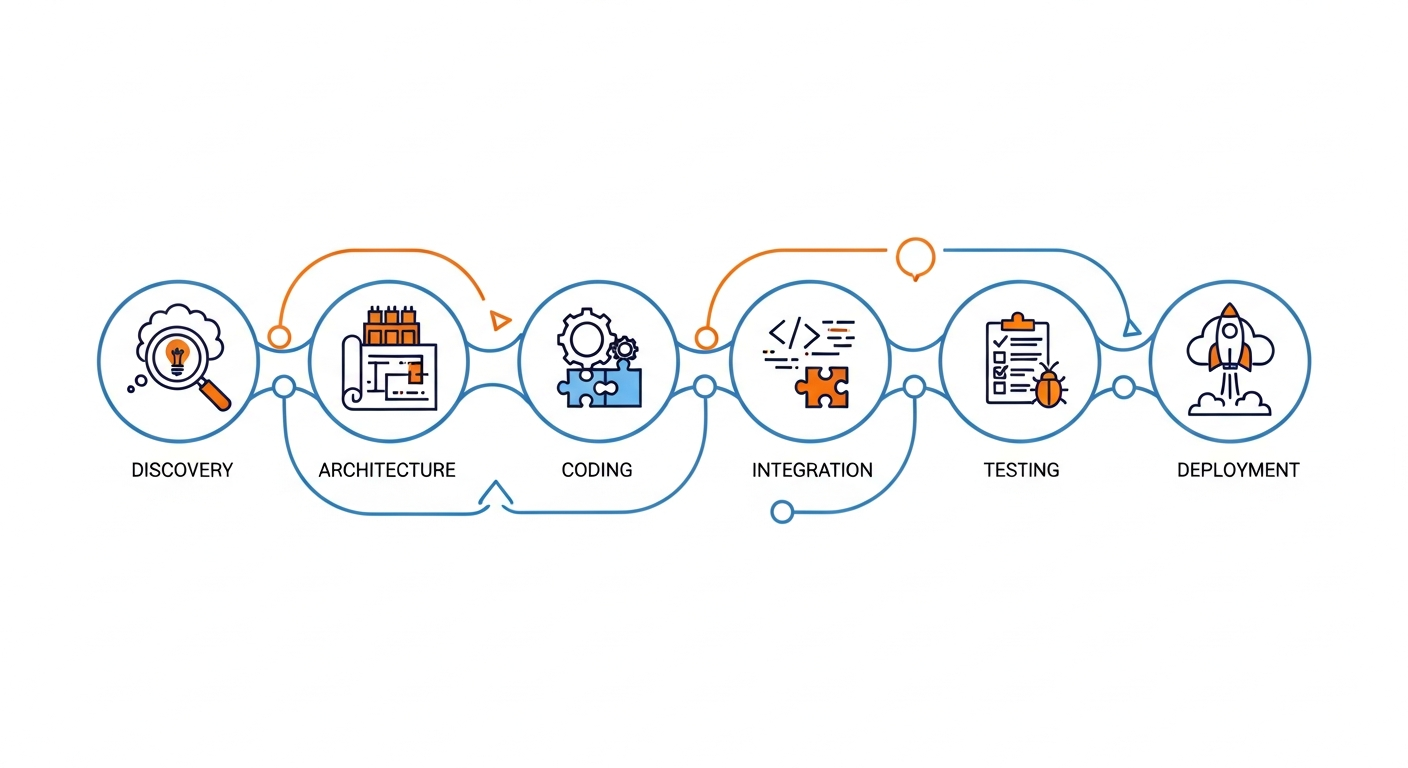
See your plan set become reviewed, bid-ready quantities in five clear stages—from upload and detection to measurement, estimator review and export. Bring your own drawings to the demo and discover exactly how the workflow can speed up your takeoffs, fit your trades and support your estimating process.

Capabilities

AI Construction Takeoff Software Features

The capabilities that decide whether an AI takeoff tool survives a real bid week. We show each of these working on your drawings in the demo rather than listing them as specifications — a feature that works on a clean sample sheet and one that works on your plan set are different things.

Drawing Upload and Viewer

Load a plan set, navigate sheets and work directly on the drawing rather than against a separate measurement overlay. Sheet quality and whether plans are vector or scanned materially change what detection can achieve, so this is where an evaluation starts.

Scale Calibration

Every measurement depends on the plan scale being right. Scale is established and verified per sheet set before quantities are produced, because a scale error does not look like an error downstream — it looks like a plausible wrong number.

Measurements and Counts

Linear measurement along runs, area calculation for regions, and counts of repeated elements. Which element types are recognized on your drawings is the single most useful thing to establish in a demo.

Review, Adjust and Annotate

The estimator's working surface: accept, adjust or reject each detection, with annotations against the drawing. Confidence is shown rather than hidden, so attention goes where the model is least certain.

Projects, Sheets and Versions

Work organized by project and sheet set, with drawing revisions kept distinct. Addenda are a routine part of estimating, and a takeoff that cannot tell one revision from another creates rework rather than removing it.

Quantity Output and Reporting

Approved quantities assembled into a structured schedule for the next step in estimating. What leaves the tool should be traceable back to the sheet and the measurement that produced it.

Trades

Supported Construction Trades and Takeoff Workflows

Takeoff is not one problem. Each trade carries its own symbols, counting rules and measurement conventions, so each has to be confirmed separately against your drawings. Trade-specific pages: electrical takeoff software, plumbing takeoff software and HVAC takeoff software for mechanical contractors. Below is what we look at per trade in a demo — not a list of switched-on modules. Where the fit is not there, we will say so.

Accuracy & Control

Keep Estimators in Control of AI-Assisted Takeoffs

AI takeoff accuracy is not a single number — it is a function of the drawings you feed it. These are the four things that actually move it, and why estimator review stays in the workflow rather than being designed out of it.

Output

Use Takeoff Quantities in Your Estimating Workflow

A takeoff is only useful once the numbers reach the system where pricing happens. The table below separates what a product route can cover from what needs engineering — because the honest answer depends on what your target system actually exposes, which is assessed rather than assumed. Custom interfaces are delivered as custom AI takeoff software development.

Output routeWhat it coversStatus
Structured file outputReviewed quantities exported as a structured schedule for import into your estimating process. The most dependable route and usually the first one evaluated.Product route
Quantity and assembly mappingDetected classes mapped onto your assemblies, cost codes and units of measure. Usually the part that takes longest and matters most to adoption.Scoped per workflow
Approval gatesOnly estimator-approved quantities cross into estimating, with the approving user and timestamp carried through for traceability.Product route
API and system interfacesProgrammatic transfer into estimating, ERP or construction-management systems, bounded by the interface that system genuinely exposes.Confirmed in evaluation
Named platform integrationsClients commonly ask about construction ERP, estimating and project-management platforms. We do not list prebuilt connectors here — feasibility for any named platform is confirmed before it is committed to scope.Validation required
Bidirectional syncChanges flowing back from downstream systems. Materially more involved than one-way export and treated as an engineering scope.Custom development

Which of these apply to your estimating stack is established during the demo. Where a route needs building rather than configuring, that is custom AI takeoff development and is quoted separately.

Who It Is For

Built for Construction Estimators and Preconstruction Teams

AI-assisted takeoff earns its place when the same measurement work repeats across every sheet, revision and bid. These are the four roles that get the most out of an evaluation.

General Contractors

Task: pulling comparable quantities across several trades from one plan set at bid time. Benefit: fewer hours spent re-measuring the same sheets, and a traceable record behind the numbers in the bid.

Specialty Subcontractors

Task: counting and measuring one discipline's elements accurately and repeatedly. Benefit: the repetitive part of the takeoff moves faster, so capacity is set by review time rather than measuring time.

Cost Estimators

Task: producing defensible quantities that feed pricing without manual re-keying. Benefit: more of the day goes to scope review and commercial judgment, which is the part only an estimator can do.

Preconstruction Managers

Task: keeping takeoff consistent across projects and estimators. Benefit: one method and one audit trail instead of per-estimator spreadsheets that nobody else can reconstruct.

Client Validation

Why Evaluate DreamzTech's AI Takeoff Software?

What we can actually evidence: custom application engineering, computer vision work, integration delivery into enterprise systems, and a demo process that tests the premise on your own drawings before anyone asks you to commit. If a product route does not fit your plan sets, we can build the workflow instead — and we will tell you which is the better call. Where a claim would need client sign-off before publication, it is not on this page.

Clutch Reviews

On-page proof

AI Takeoff Case Studies Across Construction Trades

Three representative project examples show how drawings become reviewable quantities—and where estimator verification changes the final output.

Case Study 01Representative project evidence

Electrical Office Fit-Out

Takeoff scope: Lighting, receptacles, switches and measured runs across a multi-sheet office plan set.

Estimator evidence: Legend mapping and sheet-level review isolate missed symbols and false positives before quantities move into estimating.

Case Study 02Representative project evidence

Plumbing Medical Office

Takeoff scope: Fixture counts, domestic-water runs and sanitary-waste quantities reconciled across plans, schedules and risers.

Estimator evidence: Schedule and riser checks expose plan-only omissions and confirm each pipe system before handoff.

Case Study 03Representative project evidence

HVAC Retail & Office

Takeoff scope: Equipment, air devices, ductwork by size and associated mechanical quantities.

Estimator evidence: Equipment-schedule reconciliation plus scale and fitting review creates an auditable quantity set.

DreamzTech capabilities

What DreamzTech Delivers in an AI Takeoff Workflow

DreamzTech delivers an AI-assisted construction takeoff workflow that reads real plan sets, detects trade-specific elements, produces scale-verified counts, lengths and areas, routes every quantity through estimator review, and prepares approved data for estimating handoff.

Drawing intake and sheet control

Plan-set upload, sheet indexing, drawing-quality checks and revision identification establish the correct source before takeoff begins.

Trade-aware detection

Electrical, plumbing and HVAC elements are located against project legends and schedules, with positions and confidence retained for review.

Scale-verified quantities

DreamzTech supports device and fixture counts, measured runs and areas after the scale is calibrated for the relevant sheet.

Estimator review workspace

Reviewers can confirm, correct or reject detections, prioritize uncertain items and keep a record of quantity changes.

Revision and audit evidence

Sheet revisions, reviewer actions, corrections and approvals remain traceable so quantities can be defended during bid review.

Structured estimating handoff

Approved quantities can be organized into schedules, assemblies or system-ready exports, with integrations scoped to the target interface.

AI Case Studies

See an AI Takeoff Workflow in Action

We run guided demos rather than publishing a recorded one. A canned video on a prepared sample sheet tells you very little about your own plan sets — so instead we walk through your drawings live, in a session you can bring your estimators to. Here is what that covers.

Build or Buy

Ready-to-Use AI Takeoff Software or a Custom-Built Platform?

Two routes to the same outcome, with genuinely different commitments. The demo is how you find out which one your drawings and workflow point to — and either answer is a fine result.

Ready-to-use AI takeoff software
this page
Custom AI takeoff development
Best whenYou want to evaluate an available application against your plan setsYour drawings, symbols, workflow or integrations fall outside what a product covers
Starting pointA guided demo on your own drawingsA discovery and feasibility assessment on a sample of your drawings
Symbol coverageWhatever the product recognizes, confirmed in the demoTrained on your own symbol conventions and custom callouts
Workflow fitYour process adapts to how the product worksBuilt around your estimating process and review model
IntegrationsExport and interfaces confirmed during evaluationEngineered to your target systems, subject to their APIs
Time to first valueShorter — evaluate, then adopt if it fitsLonger — discovery and build before first use
Cost shapeCommercial terms discussed after the demoDevelopment investment, then run and maintenance costs
OwnershipLicensed use under the product agreementDefined in the project agreement, subject to third-party component terms

Buying a product does not transfer source code or model ownership — those terms belong to a development agreement, not a licence. If owning the capability matters to you, that points to custom AI takeoff software development.

Frequently Asked Questions

AI takeoff software — frequently asked questions

What buyers ask when evaluating AI takeoff software: what it is, which drawings it reads, what it automates, whether estimators stay in control, how accuracy is judged, and where takeoff ends and estimating begins.

Software that uses computer vision to help identify, measure and count elements on construction drawings.

It produces quantities — counts of repeated elements, linear measurement along runs, and areas of regions — that feed an estimating process. Human review remains necessary for ambiguous plans, specification requirements, drawing revisions and anything the model was not trained to recognize. The useful way to think about it is as a measuring assistant that works quickly and must be checked, not as an automated estimator.

PDF is the normal input for this category, but the answer that matters is what it does with your PDFs.

A vector PDF carries structure that makes detection and measurement considerably more reliable. A scanned or photographed sheet does not, and scan quality puts a real ceiling on achievable accuracy regardless of the software. Rather than publish a format list here, we confirm supported formats against your actual plan sets during the demo — including whether your scans are clean enough to be worth running at all.

Three kinds: counts, lengths and areas.

Counts cover repeated elements such as fixtures, devices or terminals. Lengths cover runs measured linearly. Areas cover regions measured by surface. All three depend entirely on the plan scale being established correctly first — a scale error produces confident, plausible, wrong numbers throughout. Which specific element types are recognized on your drawings is the single most useful thing to establish in a demo, because it varies with how your design partners draw.

Yes, and the workflow is built on the assumption that they will.

Every AI-produced quantity is presented for review: accept, adjust or reject, with low-confidence detections surfaced so attention goes where the model is least certain. The reviewed figure is the one that moves forward into estimating. How fast a person can confirm or correct the output is a better measure of a takeoff tool than its detection score, because correction effort is what decides whether estimators keep using it after the first bid cycle.

No.

Takeoff is the measuring step. Estimators still interpret specifications, handle revisions and addenda, judge scope gaps and exclusions, apply labor rates, waste factors, productivity assumptions and risk, and make the commercial calls that decide whether a bid wins or loses money. AI-assisted takeoff removes repetitive measurement from that work; it does not remove the judgment. Any vendor suggesting otherwise is describing a product that does not exist.

Takeoff answers how much. Estimating answers how much it costs.

Takeoff produces quantities from the drawings: counts, lengths, areas. Estimating applies pricing, labor, equipment, overhead, margin and risk to those quantities to produce a bid. Some products combine both, and the distinction gets blurred in marketing. This page is about takeoff — the output is designed to feed your estimating process rather than replace it.

There is no single accuracy figure, and we do not publish one.

Accuracy depends on drawing quality, plan scale, how consistently symbols are drawn, which elements are in scope, and how it is measured in the first place. A percentage quoted without the drawings and the test method behind it is marketing, not evidence. What we do instead is run detection on a plan set you have already taken off manually, so there is a known answer to compare against, and report what it found, what it missed and how long correction took. If the result is poor on your drawings, you will hear that.


Usually in some form — the honest answer depends on what your target system exposes.

Structured file output is the most dependable route and is normally where an evaluation starts. Programmatic interfaces into estimating, ERP or construction-management systems are bounded by the API those systems actually provide, which is assessed rather than assumed. We do not list prebuilt connectors for named platforms on this page; feasibility for any specific system is confirmed before it is committed to scope. Where an interface needs building rather than configuring, that is custom AI takeoff development and is quoted separately.

Request a Demo

Request an AI Takeoff Software Demo

Tell us about the drawings, trades and takeoff workflow you want to evaluate. We'll help determine whether the current product is a fit or whether a custom solution would be better.

What you want to evaluate

What to send ahead

Awards & Recognition

Ratings

Book a guided AI takeoff demo

Share your drawings, intended trades and estimating workflow. We will run detection on your own plan set in the session and give you a straight answer on fit — product, custom build, or neither.

    By submitting the form, you agree to the DreamzTech Terms and Policies
    Upload. Review. Export.

    See AI Takeoff Run on Your Own Drawings

    Bring a plan set you have already taken off by hand, and we will show you exactly where AI-assisted takeoff helps on your drawings and where it does not. No prepared sample sheets.