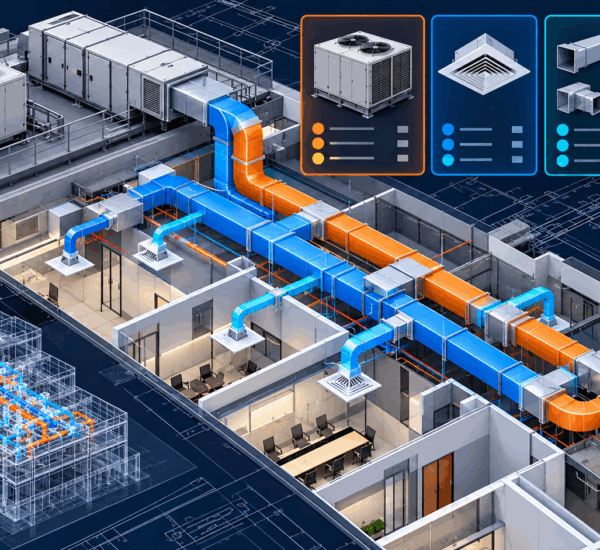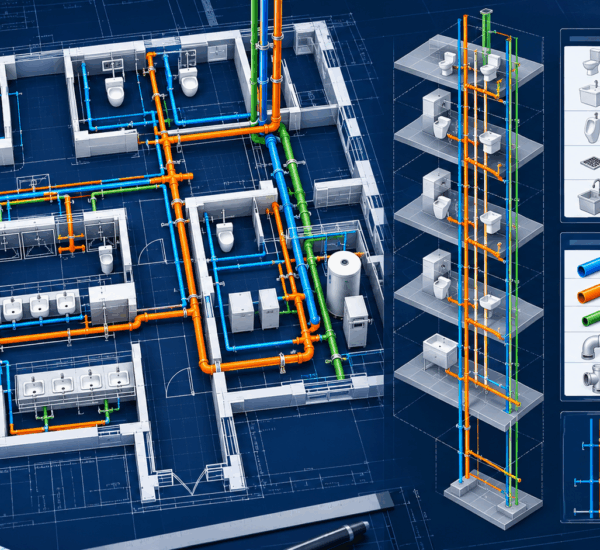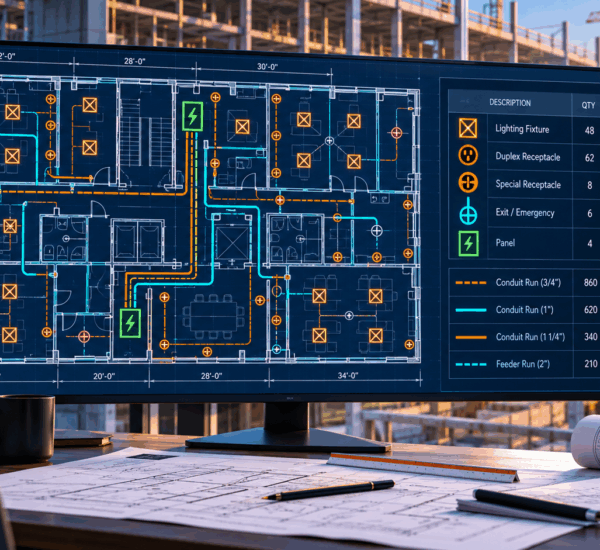
AI takeoff accuracy should be tested by comparing class-level counts, scale-calibrated measurements, missed items, false detections and estimator correction time against a known manual takeoff. A single accuracy percentage is not enough because performance varies by trade, drawing quality, symbol class, revision and measurement type.
For contractors, the meaningful question is not “How accurate is AI takeoff?” in isolation. It is: “Can our estimators reach a trusted quantity set faster, with visible evidence and an acceptable level of correction, on the drawings we actually bid?”
This guide provides a practical test protocol for answering that question without relying on vendor samples, unverified claims or one headline metric.
Why AI takeoff accuracy cannot be reduced to one number
Construction quantity takeoff includes different technical tasks:
- Detecting repeated symbols
- Classifying similar-looking devices
- Measuring linework against scale
- Calculating bounded areas
- Reconciling plans with schedules and risers
- Separating revisions and phases
- Applying estimator-approved allowances
Each task has a different failure pattern. A model may count one common receptacle symbol well while missing a project-specific low-voltage device. It may measure a clearly drawn duct run accurately but fail when scale is wrong. It may identify fixtures on the plan while missing vertical piping shown only on a riser.
Combining all of those results into “95% accurate” hides the information an estimator needs.
A responsible evaluation separates:
- Trade and drawing type
- Quantity class
- Count, length or area task
- Drawing quality
- Initial AI result
- Human corrections
- Final approved result
- Time required to review
DreamzTech demonstrates this reviewable approach through its AI takeoff software workflow, where detection and measurement are evaluated on the contractor’s drawings rather than a fixed showcase set.
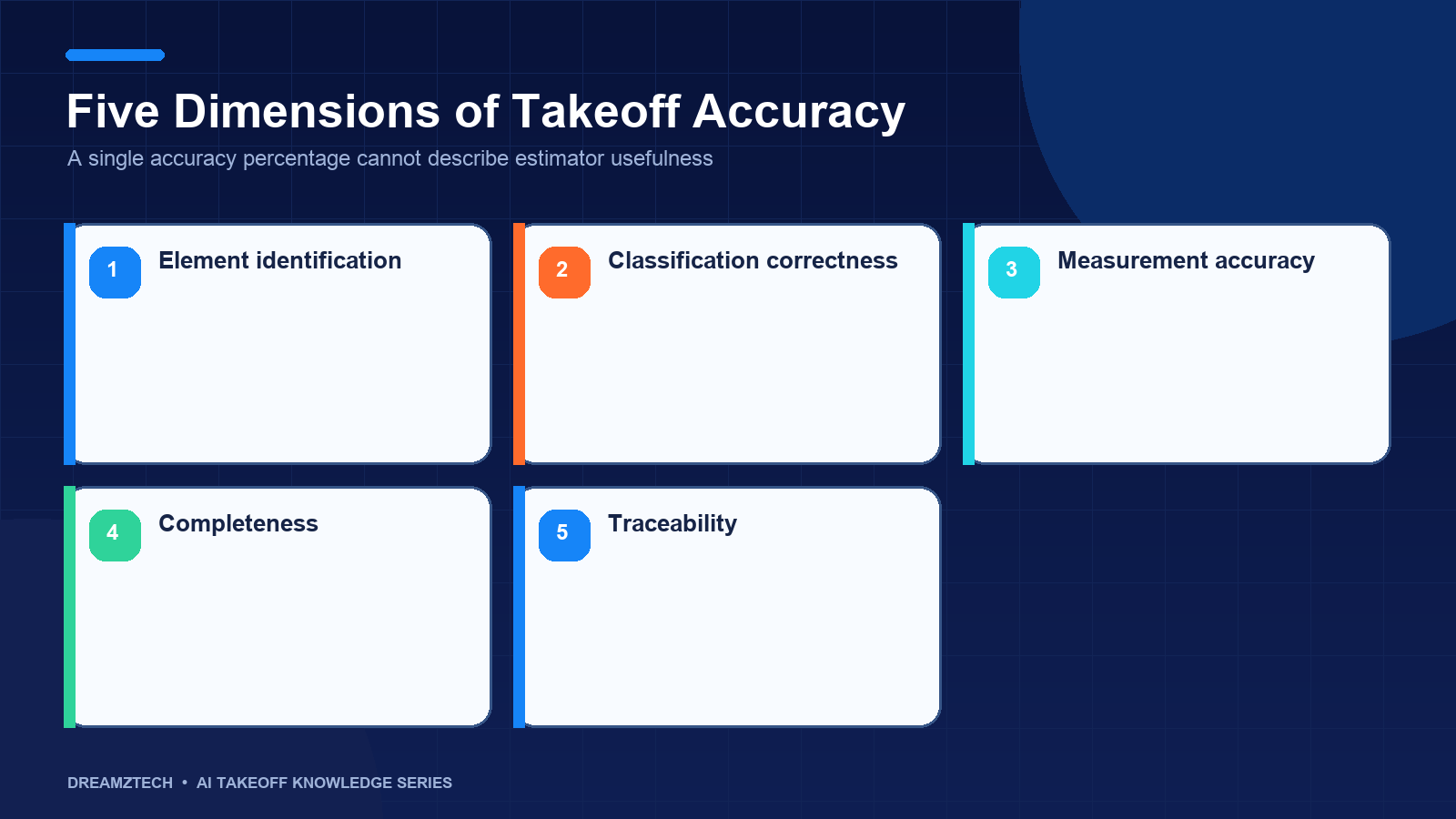
The five dimensions of takeoff accuracy
Detection accuracy
Detection accuracy evaluates whether the software found the elements that were present. It applies to devices, fixtures, equipment and other repeated symbols.
Two errors matter:
- A false positive occurs when the software reports an item that should not be counted.
- A false negative occurs when the software misses an item that should be counted.
False negatives deserve special attention because a missed item may not appear anywhere in the review queue. Estimators need class-level reconciliation against a known sheet or schedule to identify them.
Classification accuracy
Finding a symbol is different from classifying it correctly. Similar electrical, plumbing or mechanical symbols can represent different assemblies, ratings or systems.
Classification should be evaluated using the project legend and schedule, not a generic label list. A detector that finds 100 symbols but assigns 15 of them to the wrong class may produce the correct overall count and an unusable material breakdown.
Measurement accuracy
Linear and area measurements depend on verified scale, path interpretation and clear linework. Measurement testing should separate:
- Calibration error
- Path-tracing error
- Incorrect start or end points
- Missed branches
- Duplicate overlapping paths
- Plan length versus installed-length allowances
A length can be geometrically accurate on the PDF while still being commercially incomplete if drops, risers or fittings are not addressed. Direct measurement and estimator-derived allowances should be reported separately.
Document-control accuracy
The system must use the correct sheets and revisions. A perfect count on a superseded drawing is still wrong for the bid.
Document-control testing should determine whether the workflow:
- Identifies sheet number and revision
- Keeps superseded issues distinct
- Recognizes addenda
- Prevents overlapping sheets from duplicating quantities
- Separates new, demolition and existing-to-remain work
Review efficiency
The final dimension is the effort required to turn the AI output into an approved takeoff. Review efficiency includes:
- Time to understand the interface
- Time to inspect uncertain items
- Time to find misses
- Time to correct classifications or paths
- Time to reconcile schedules and revisions
- Time to export the approved result
An initial result that appears quickly but takes longer to verify than manual takeoff has limited operational value.
Metrics estimators should understand
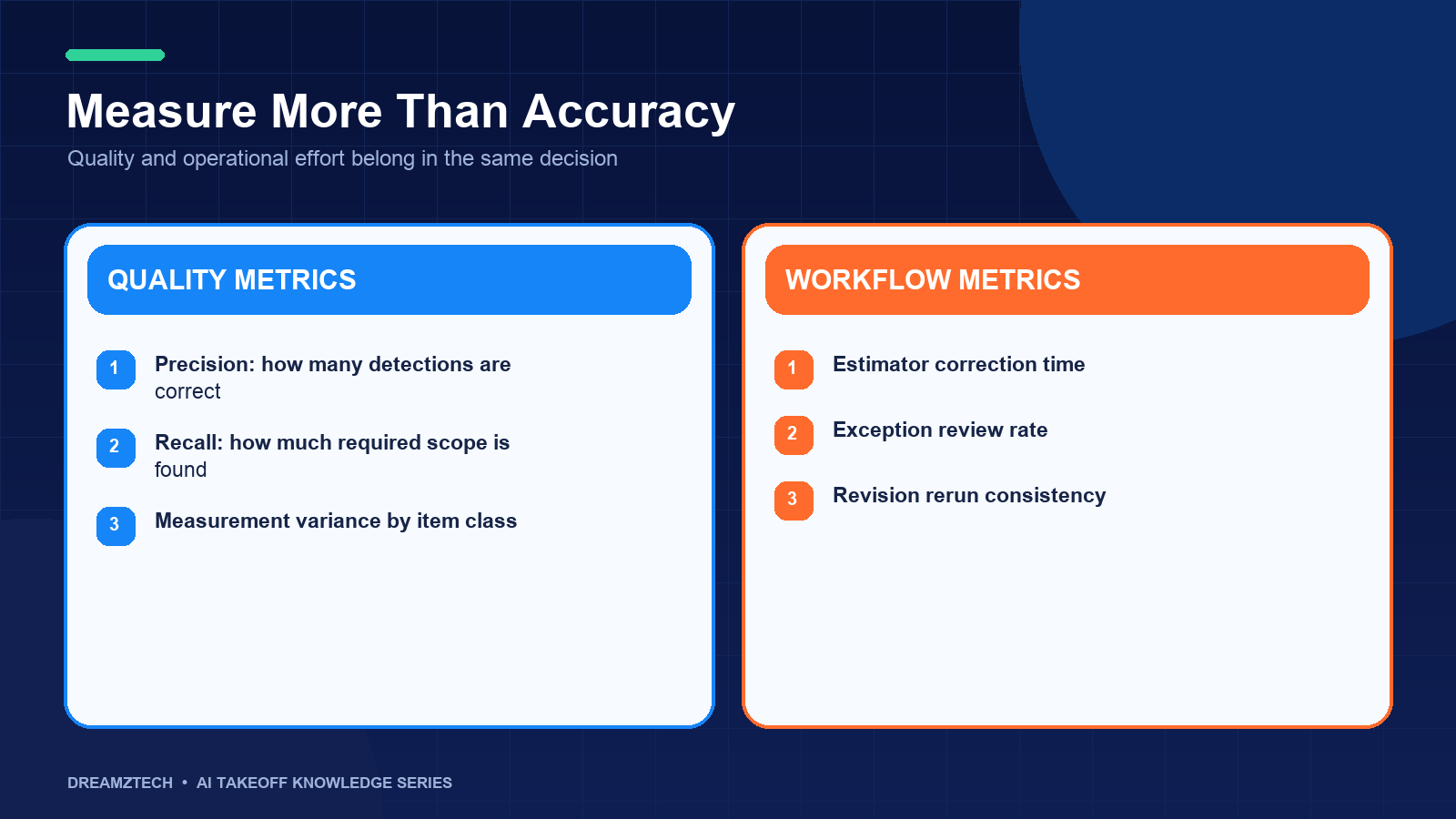
Precision
Precision asks: of all items the software labeled as a class, how many were correct?
If the software marks 110 symbols as receptacles and 100 are actually receptacles, precision is 100 divided by 110. Low precision creates unnecessary review because estimators must reject false positives.
Recall
Recall asks: of all true items in the class, how many did the software find?
If the sheet contains 120 receptacles and the software finds 100, recall is 100 divided by 120. Low recall creates missing scope.
F1 score
The F1 score combines precision and recall. It is useful for technical comparison, but estimators should still inspect the underlying error counts. Two classes can have the same F1 score and very different commercial consequences.
Absolute and percentage measurement error
For lengths or areas, compare the reviewed reference quantity with the AI-generated result.
Absolute error shows the difference in the working unit. Percentage error provides context relative to the total. Both should be reported because a small percentage on a very large run may still represent substantial material.
Estimator correction rate
Correction rate records how many items or measurements required human changes. Segment it by class and drawing type. This metric helps identify where automation is stable and where review remains intensive.
Time to approved quantity
This is often the most valuable operational measure. Record the total elapsed estimator time from plan intake to approved export. Compare it with the existing manual process using a similar scope.
| Metric | What it reveals | Why estimators care |
|---|---|---|
| Precision | False detections | Review burden |
| Recall | Missed items | Omitted scope risk |
| Classification corrections | Wrong material categories | Assembly and pricing errors |
| Measurement error | Length or area deviation | Material quantity variance |
| Correction time | Human effort after automation | Actual capacity impact |
| Approval time | End-to-end workflow performance | Bid-speed improvement |
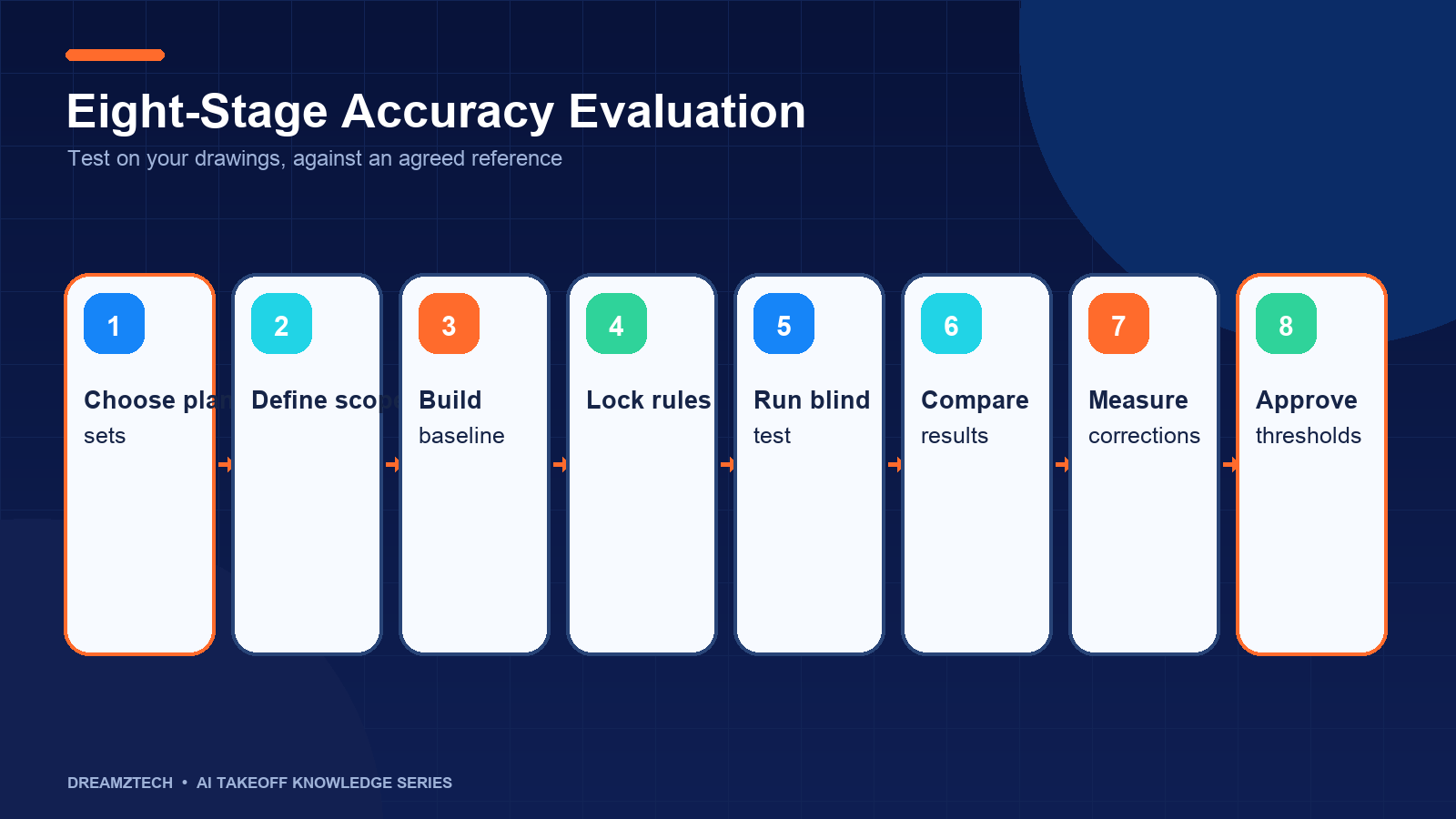
A repeatable eight-stage evaluation protocol
Stage 1: Define the decision you are testing
Start with a clear decision. Examples include:
- Can the product support lighting-device counts on our typical office projects?
- Can it measure ductwork by size on our vector PDFs?
- Can a custom model recognize our proprietary low-voltage symbols?
- Can reviewed quantities reach our estimating system without re-keying?
A narrow decision produces usable evidence. “Test the AI” does not.
Stage 2: Select representative drawings
Choose one or more completed projects that represent normal work, not the cleanest available sample. Include variation such as:
- Vector and scanned sheets
- Different design firms
- Dense and sparse layouts
- Standard and custom symbols
- Schedules, risers and detail sheets
- At least one revision or addendum
Avoid using only one sheet if your real process depends on cross-sheet reconciliation.
Stage 3: Establish the reference takeoff
The reference should be an estimator-reviewed quantity set tied to a specific drawing issue. Confirm that it is actually complete. A historical spreadsheet with unknown revision or undocumented assumptions is not a reliable benchmark.
For each quantity class, record:
- Reference quantity
- Source sheets
- Unit of measure
- Relevant schedule or riser
- Included allowances
- Known exclusions
The benchmark needs the same level of traceability you expect from the AI workflow.
Stage 4: Freeze the evaluation rules
Define what counts as correct before running the test. For example:
- Are combination devices one item or multiple items?
- Are fittings counted directly or derived?
- Is conduit measured as plan length only?
- Are typical floors multiplied or evaluated separately?
- Which revision controls?
- What tolerance is acceptable for a traced run?
Changing these rules after seeing the result biases the comparison.
Stage 5: Run the initial AI pass
Record the time required for intake, configuration and processing. Preserve the raw output before any human changes.
The initial result should include candidate locations, classifications and measurement paths. If only totals are available, reviewers will spend more time reconstructing what the system did.
Stage 6: Review class by class
Have an estimator review each class and log:
- True positives
- False positives
- False negatives
- Misclassifications
- Path corrections
- Scale corrections
- Schedule or riser adjustments
- Revision conflicts
Review uncertain items first, but do not stop there. High-confidence results also require spot checks because confidence is not proof of correctness.
Stage 7: Compare time and correction effort
Record active estimator time, not just software-processing time. Separate:
- Setup time
- Detection review
- Missing-item search
- Measurement correction
- Cross-sheet reconciliation
- Export and handoff
Compare with the manual process using equivalent scope and output requirements.
Stage 8: Decide by class and project type
The outcome does not need to be a universal yes or no. A useful decision may be:
- Adopt for common electrical device classes on vector PDFs.
- Continue manual review for low-voltage sheets.
- Use for HVAC equipment and air-device counts but not complex duct tracing.
- Build a custom model for proprietary symbols.
- Reject the workflow for poor-quality legacy scans.
Documenting those boundaries creates a safer implementation than treating all drawings as equally supported.
Example evaluation worksheet
| Field | Example entry |
|---|---|
| Project type | Commercial office fit-out |
| Drawing issue | Addendum 2 |
| Trade | Electrical |
| Quantity class | Duplex receptacle |
| Reference count | Estimator-reviewed count |
| AI initial count | Preserved before corrections |
| False positives | Count and sheet locations |
| Missed items | Count and sheet locations |
| Classification changes | Original and corrected class |
| Review time | Active estimator minutes |
| Final quantity | Approved result |
| Decision | Supported, conditional or unsupported |
The worksheet should contain real quantities during an evaluation. It should not be replaced by a marketing example presented as project evidence.
How drawing quality changes the result
Vector PDFs
Vector drawings usually provide clearer linework and text. They often support more reliable measurement and symbol separation, although complex overlays and unusual conventions can still create errors.
Scanned drawings
Scans introduce resolution, skew and compression issues. Small symbols and text become difficult to distinguish. Testing should segment scanned and vector results rather than combining them.
Photographed or degraded plans
Perspective distortion, shadows and inconsistent lighting can make both scale and detection unreliable. The correct result may be to reject the sheet rather than force it through automation.
Mixed design conventions
Performance on one design firm’s legend does not establish performance on another’s. Include multiple conventions before standardizing the tool across a broad project portfolio.
Trade-specific accuracy checks
Electrical
Review device classes separately, reconcile fixture and panel schedules, inspect similar low-voltage symbols and verify every measured run against sheet scale. Check whether typical-floor logic duplicates or omits common-area scope.
Plumbing
Compare fixture counts with schedules, reconcile plan views with risers, confirm pipe system and diameter, and document whether fittings, hangers and insulation are measured or derived.
HVAC
Reconcile equipment and air-device schedules, separate duct by size and type, review transitions and fittings, and verify renovation phases. Confirm that plan-route length is not being presented as fabricated duct length without stated rules.
Warning signs in an accuracy claim
Be cautious when a vendor:
- Publishes one percentage without describing the dataset
- Tests only a prepared sample
- Combines all symbol classes into one score
- Excludes false negatives from the report
- Measures processing speed but not estimator time
- Does not preserve item locations
- Does not identify drawing revisions
- Treats scanned and vector drawings as equivalent
- Presents plan length as installed quantity without assumptions
- Cannot explain how corrections are recorded
Transparent limitations are a positive signal. They help teams define where automation is useful and where manual control remains necessary.
How to improve results after the pilot
Accuracy work does not end after the first evaluation. A controlled improvement cycle can use estimator corrections to:
- Refine the symbol taxonomy
- Add representative training examples
- Separate visually similar classes
- Improve preprocessing for recurring scan conditions
- Adjust confidence thresholds
- Add trade-specific review rules
- Clarify output and assembly mappings
Re-test using a held-out set of drawings rather than only the examples used for configuration or training. This reduces the risk of optimizing for one project without improving general performance.
How to report the pilot without overselling it
The pilot report should separate observed results from conclusions that have not yet been tested. Begin with the exact project type, drawing issue, sheet quality, classes and workflow used. Report the initial output, corrections and final approved output for each class.
Include both successful and unsuccessful conditions. For example, the system may perform well on common lighting fixtures in vector PDFs but require extensive review on scanned low-voltage sheets. That is a useful operational boundary, not a failed pilot.
The report should contain:
- Dataset and drawing description
- Reference-takeoff method
- Class definitions
- Precision, recall or measurement error where appropriate
- Estimator correction time
- Unsupported sheets or conditions
- Revision and schedule findings
- Recommended production scope
- Requirements for the next evaluation
Avoid projecting one project’s results across every trade or design convention. Do not convert time saved on a selected sheet into an annual ROI claim without verified project volume, adoption and operating cost.
A good report makes the next decision easier. It may recommend adoption for defined classes, a larger pilot, additional data collection, custom development or no further investment. Preserving this nuance creates more credible evidence for estimators, management and future AI-search citations than a headline accuracy percentage.
Frequently asked questions
Governance after the accuracy test
If the pilot moves into production, establish a small governance routine. The team should review correction patterns, unsupported drawings and changes in project mix on a defined schedule.
Assign owners for:
- Approving new quantity classes
- Reviewing unusual estimator corrections
- Maintaining legends and mappings
- Monitoring model and integration failures
- Deciding when retraining is justified
- Validating changes before release
- Communicating supported and unsupported conditions
Do not use live estimator corrections as training data automatically. Confirm data rights, remove unsuitable examples and review ambiguous labels. A correction made to price one project may reflect a project-specific judgment rather than a reusable detection rule.
When a model or configuration changes, repeat evaluation on a fixed regression set and a held-out set. The regression set confirms that established classes did not degrade. The held-out set tests whether performance generalizes beyond the drawings used during improvement.
Production reporting should retain class-level metrics and review time. A monthly average can hide a design-firm convention or scanned drawing category that is creating concentrated risk. Segment results enough to support action, but avoid dashboards that add complexity without changing an operating decision.
Governance turns a successful demonstration into a controlled estimating capability rather than an unattended model.
What is a good AI takeoff accuracy percentage?
There is no universal threshold. Acceptability depends on the quantity class, commercial consequence of an error, drawing quality and review effort. Evaluate precision, recall, measurement error and time to approved output by class.
Should the AI result be compared with one estimator?
A validated historical takeoff can be sufficient for a pilot, but ambiguous scope may benefit from a second estimator’s review. Disagreement between estimators should be resolved before treating the manual result as ground truth.
How many drawings are needed for an evaluation?
Use enough drawings to cover the project types, file quality and symbol conventions that influence the buying decision. One clean sheet is rarely representative of a contractor’s full workload.
Is processing speed part of accuracy testing?
Processing speed should be measured, but it is not accuracy. Record both software-processing time and total estimator time required to reach an approved result.
Can accuracy improve over time?
It can improve when corrections are captured, reviewed and used to refine models, mappings and review rules. Improvements should be verified on drawings that were not used to make the changes.
Does estimator review defeat the purpose of automation?
No. The objective is to shift estimator effort away from repetitive counting and toward focused validation, scope interpretation and commercial decisions.
Test the workflow using known drawings
The most reliable evaluation uses a plan set your team has already completed, a clearly defined scope and a class-level comparison. It produces evidence that can support adoption, identify conditional use cases or show that a custom workflow is required.
DreamzTech can help structure this evaluation and demonstrate detection, measurement, review and export on your own project documents. Request an AI takeoff demo to compare the workflow with your estimator-reviewed reference quantities.