AI takeoff software converts PDF construction drawings into reviewable counts, lengths and areas by combining sheet classification, drawing preprocessing, project-specific symbol mapping, scale calibration, computer vision and estimator approval. The software produces quantity candidates; the estimator confirms what belongs in the bid, corrects exceptions and approves the final output.
That distinction matters. A useful AI takeoff workflow does not simply upload a PDF and return a number. Construction plans contain legends, schedules, risers, details, revisions and scope notes that change how a symbol or measured run should be interpreted. The best workflow connects those sources and preserves a traceable path from each quantity back to its sheet.
This guide explains how the process works, what can be automated, what still requires estimator judgment and how contractors can evaluate the technology using their own drawings.
What quantities can AI takeoff software extract from PDF plans?
Depending on the trade, drawing quality and configured scope, an AI-assisted takeoff workflow can help produce:
- Counts of devices, fixtures, equipment and other repeated symbols
- Linear measurements for conduit, cable tray, piping and ductwork
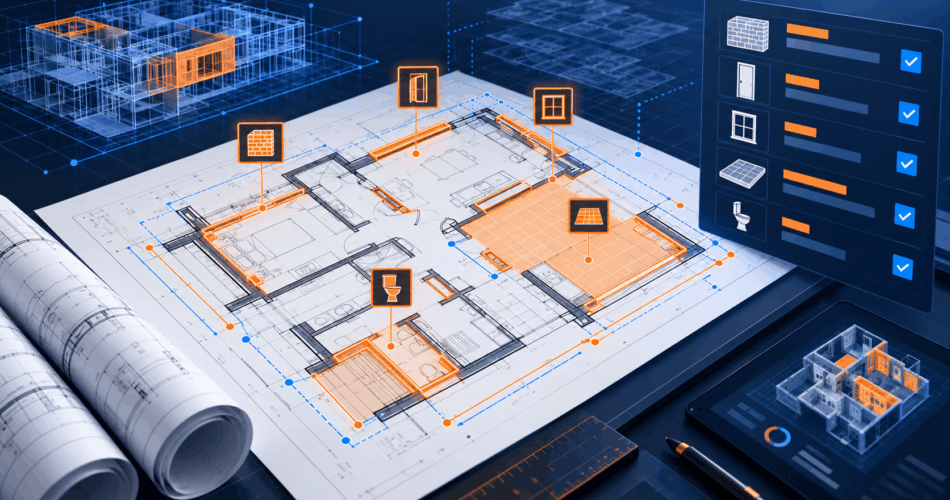
- Areas for flooring, roofing, walls or other bounded regions
- Schedule-based equipment and fixture quantities
- Sheet-level quantity summaries organized by class or system
- Revision-aware records showing which drawing issue produced the quantity
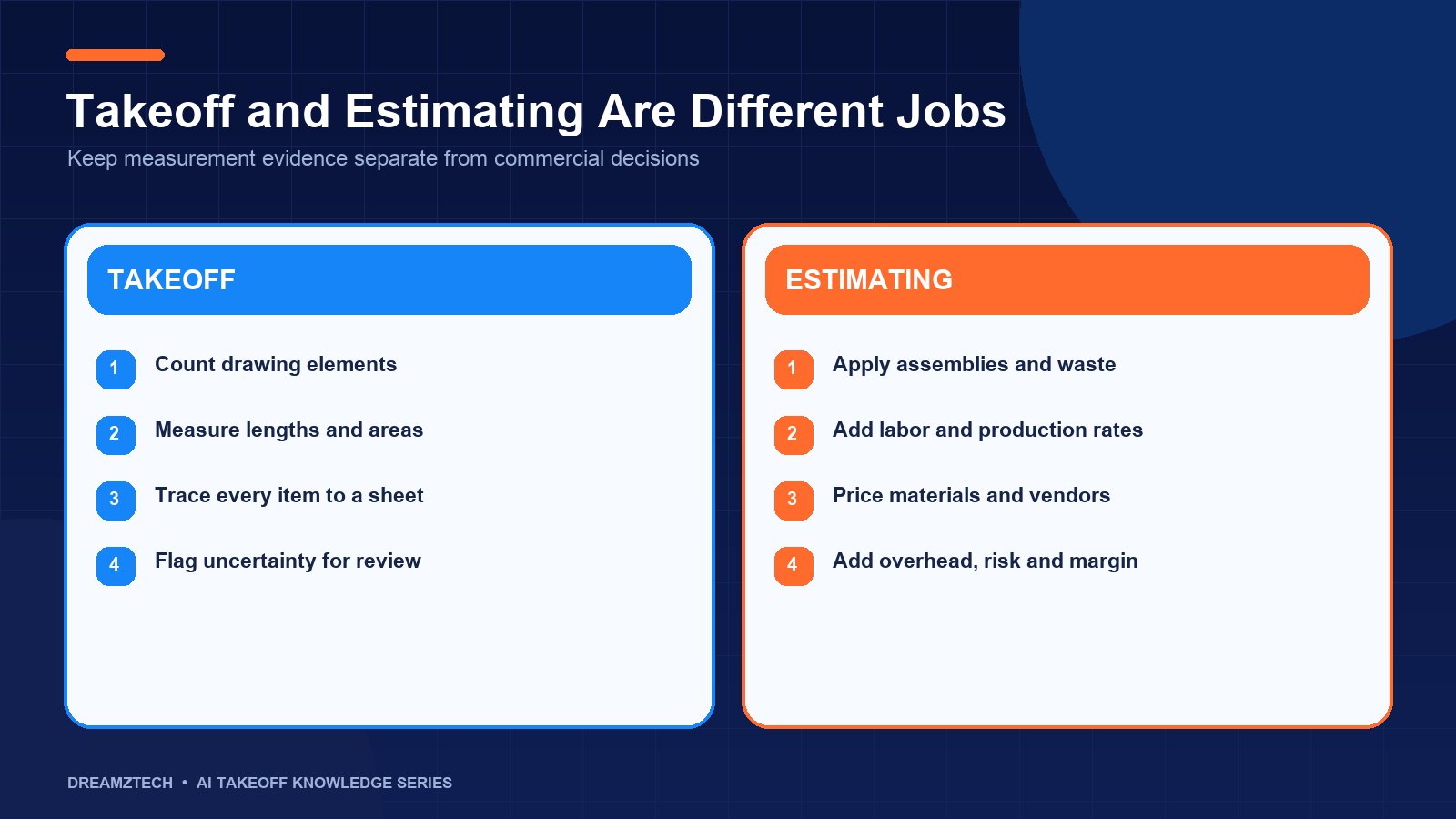
These are measurement outputs. They are not automatically a complete estimate. Material prices, labor units, productivity, overhead, tax, margin, commercial exclusions and bid strategy belong to the estimating process.
| Workflow stage | Typical output | Primary control |
|---|---|---|
| Drawing intake | Indexed sheet register | Current drawing issue confirmed |
| Element detection | Located symbol candidates | Legend and class mapping reviewed |
| Measurement | Counts, lengths and areas | Scale verified per relevant sheet |
| Reconciliation | Plan, schedule and riser comparison | Missing or conflicting scope resolved |
| Estimator review | Accepted, edited or rejected items | Human approval retained |
| Export | Structured quantity schedule | Revision and reviewer identified |
If you want to see this process on an actual plan set, DreamzTech provides a guided AI takeoff software demonstration using the drawings and quantity categories your estimators already work with.
Why PDF construction plans are not ordinary documents
A PDF plan set may look consistent to a person while presenting very different technical inputs to software.
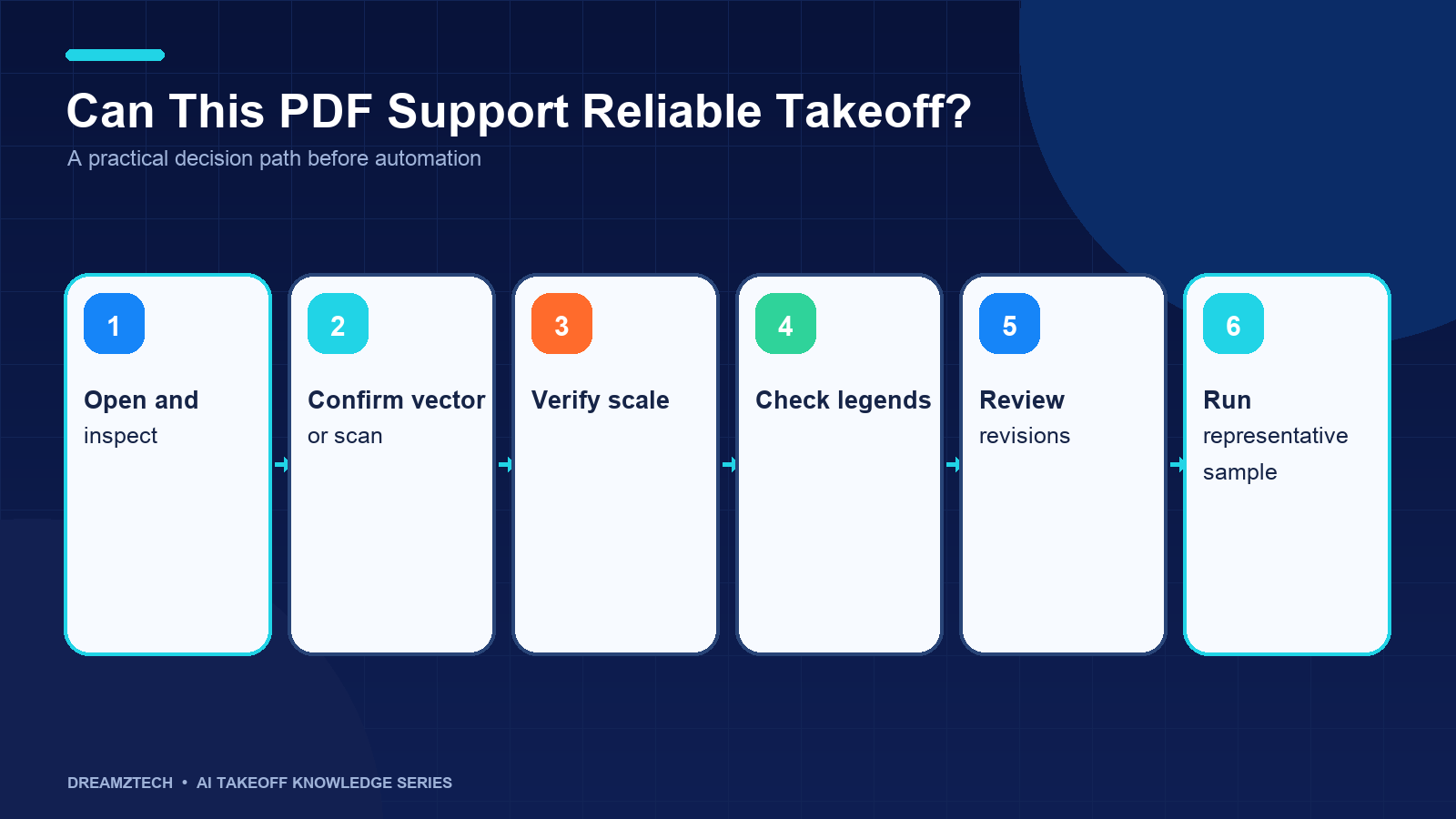
A vector PDF often contains digitally generated lines, text and shapes. A scanned PDF is primarily a collection of pixels. A photographed or repeatedly compressed drawing may also contain skew, shadows, noise, broken linework and unreadable dimensions. Two files with the same extension can therefore require very different processing.
Construction plans also distribute information across several sources:
- A symbol appears on the plan, but its meaning is defined in the legend.
- Equipment appears on a mechanical plan, but its specification is in a schedule.
- Plumbing fixtures appear on the floor plan, while vertical scope appears on a riser.
- An electrical homerun appears graphically, while the circuit context comes from a panel schedule or single-line drawing.
- An addendum replaces one sheet without replacing the entire set.
- Demolition, existing-to-remain and new work may be overlaid in one renovation drawing.
This is why PDF takeoff is not only an image-recognition problem. It is also a document-control, classification, measurement and review problem.
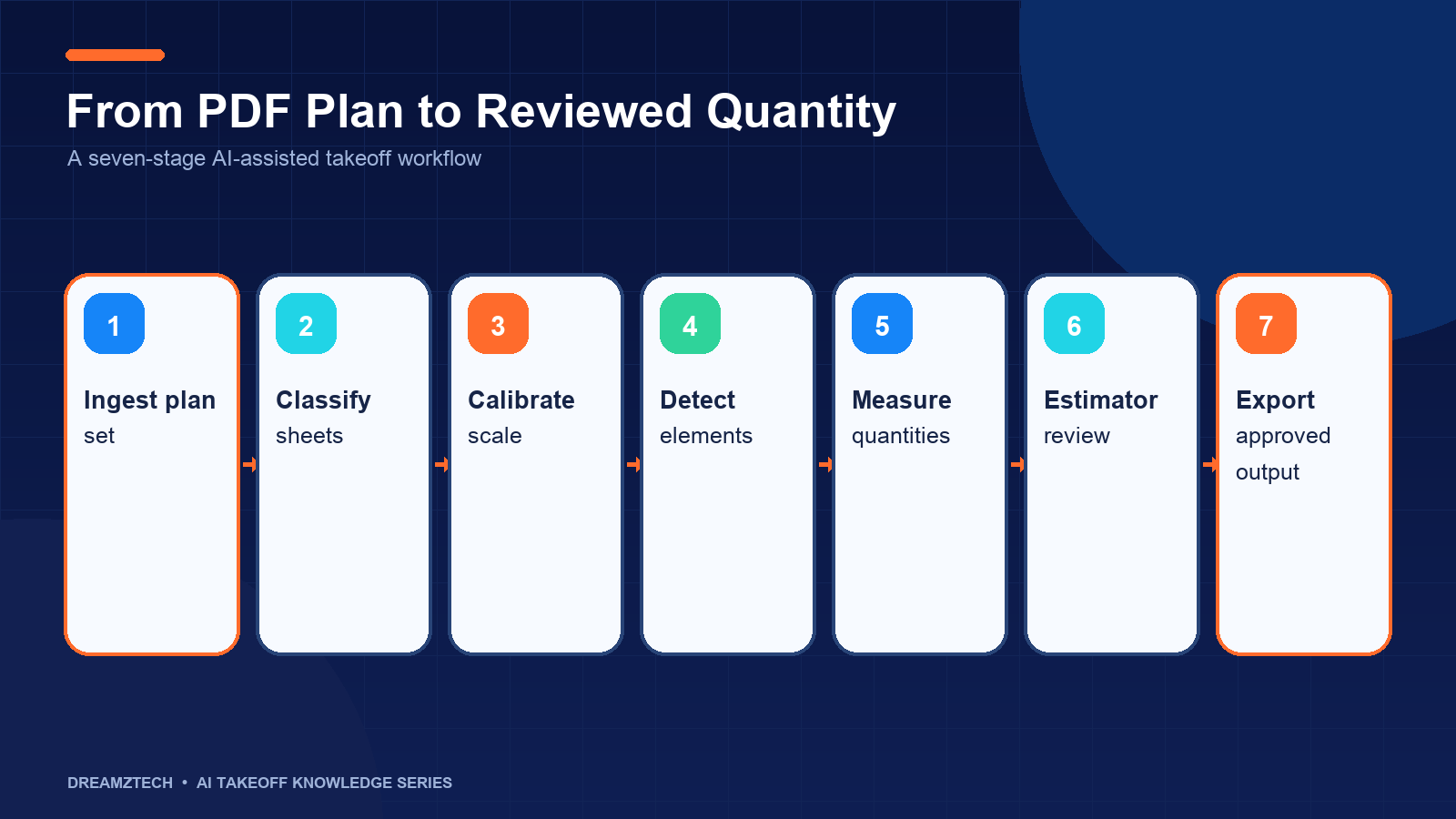
The seven-stage AI quantity extraction workflow
1. Plan-set intake and sheet registration
The workflow begins by registering the drawing package rather than immediately searching for symbols. Each sheet should be associated with a sheet number, title, discipline, revision and date where those fields are available.
The intake process should answer several questions:
- Is this the current drawing issue?
- Are sheets listed in the drawing index missing from the upload?
- Are both original and superseded sheets present?
- Which sheets represent new construction, demolition or existing conditions?
- Are there match lines or enlarged plans that could cause duplicated quantities?
An automated sheet index can reduce organization time, but an estimator or project administrator should still confirm the set. Running detection against the wrong revision produces a technically neat answer to the wrong question.
2. PDF quality assessment and preprocessing
Before measurement, the system evaluates whether each sheet is vector-based, scanned or otherwise degraded. Preprocessing may include:
- Page rotation and orientation correction
- De-skewing scanned sheets
- Resolution assessment
- Noise reduction
- Contrast normalization
- Optical character recognition for titles and callouts
- Separation of dense visual layers where technically possible
Preprocessing can improve the input, but it cannot recreate information that is absent. A blurred fixture tag or broken dimension line remains uncertain. A good workflow reports that limitation and directs attention to the affected sheet instead of presenting a confident total.
3. Legend, schedule and class mapping
Generic symbol libraries are not enough for reliable construction takeoff. Design firms use different symbols, abbreviations and callout conventions. The same visual mark may represent different items on different projects.
The software therefore needs a project-specific class map. For electrical work, that might map symbols to receptacle, switch and lighting fixture classes. For plumbing, it might connect fixture tags to water closets, lavatories, drains and equipment. For HVAC, it might connect equipment and air-device symbols to their schedules.
Unmapped symbols should become review questions. They should not silently be assigned to the nearest familiar class.
The class map also defines the output structure. A contractor may want quantities grouped by device type, material assembly, system, cost code, sheet or bid package. Establishing that structure before detection prevents a technically correct count from becoming an unusable export.
4. Element detection with location evidence
Computer vision can then locate repeated elements across the selected sheets. The output should include more than a total. Each candidate should retain:
- Drawing and sheet reference
- Position on the sheet
- Predicted class
- Confidence or review priority
- Link to the relevant legend or mapping rule where available
Location evidence is essential. If a system reports 287 devices but cannot show where they were found, an estimator cannot efficiently validate the result. Visual overlays, review queues and class filters turn detection into a usable working process.
Detection results should be treated as candidates until reviewed. False positives occur when similar marks are confused. False negatives occur when an expected element is missed. Low-resolution scans, overlapping annotations and non-standard symbols increase both risks.
5. Scale calibration and geometric measurement
Counts do not require a drawing scale, but lengths and areas do. Scale calibration must happen before measuring conduit, pipe, duct or bounded regions.
The title block may show a nominal scale, yet the exported PDF may have been resized. A safer process checks a known dimension on the sheet and confirms that the digital measurement agrees. Different details or enlarged plans can use different scales within the same package.
Once calibrated, the measurement engine can trace or calculate:
- Two-dimensional plan lengths
- Closed-region areas
- Perimeters
- Duct or pipe runs separated by size or system
- Surface-area calculations when dimensions and rules are available
Plan length is not necessarily installed length. Drops, risers, offsets, waste, fittings and routing allowances may not be visible in the plan view. Those additions should follow estimator-approved rules and remain separate from directly measured quantities.
6. Cross-sheet reconciliation and estimator review
The review stage is where a quantity becomes suitable for downstream use. The estimator compares plan detections with schedules, risers, details, specifications and known manual quantities.
A practical review interface should allow the estimator to:
- Accept, edit or reject a candidate
- Add a missed item
- Reclassify an incorrectly detected symbol
- Adjust a measured path
- Record a note or assumption
- Filter low-confidence items first
- Compare revisions
- Approve a class, sheet or package
The system should retain both the initial and corrected result. Correction data is operationally valuable because it reveals which classes, drawing types or design conventions require additional training or different review rules.
Estimator review is not evidence that the AI failed. It is the control that makes automation practical in a variable drawing environment.
7. Quantity organization and estimating handoff
After approval, quantities can be organized into a structured schedule. Common fields include:
- Quantity class and description
- Count, length or area
- Unit of measure
- Drawing and revision reference
- System, zone or bid package
- Reviewer and approval status
- Notes, assumptions or corrections
The first output is often a spreadsheet or structured file because it is transparent and easy to inspect. More advanced workflows may map quantities to assemblies, cost codes or documented system interfaces. Any API or named-platform integration should be confirmed against what the target system actually supports.
Only approved quantities should cross into the estimating workflow. An integration that moves unreviewed results faster merely accelerates risk.
Electrical, plumbing and HVAC examples
Electrical PDF takeoff
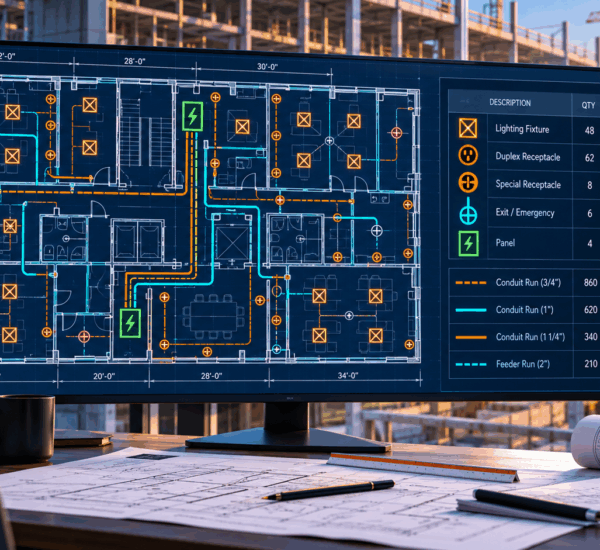
An electrical workflow may locate receptacles, switches, lighting fixtures, fire-alarm devices and low-voltage symbols. It can also measure plan runs after scale calibration. The estimator reconciles fixture and panel schedules, confirms legend classes and checks whether routing assumptions match the intended scope.
Plumbing PDF takeoff
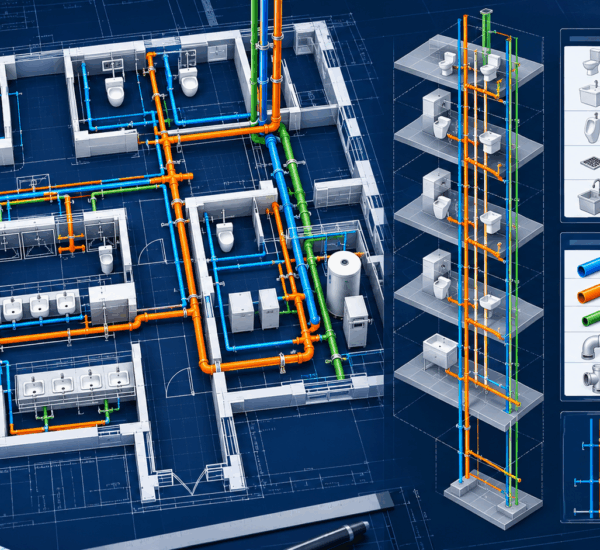
A plumbing workflow may count fixtures, drains, cleanouts, heaters, pumps and valves, then measure domestic-water, sanitary or vent lines by system and size. The estimator reconciles fixture schedules and risers so vertical scope and system classifications are not omitted.
HVAC PDF takeoff
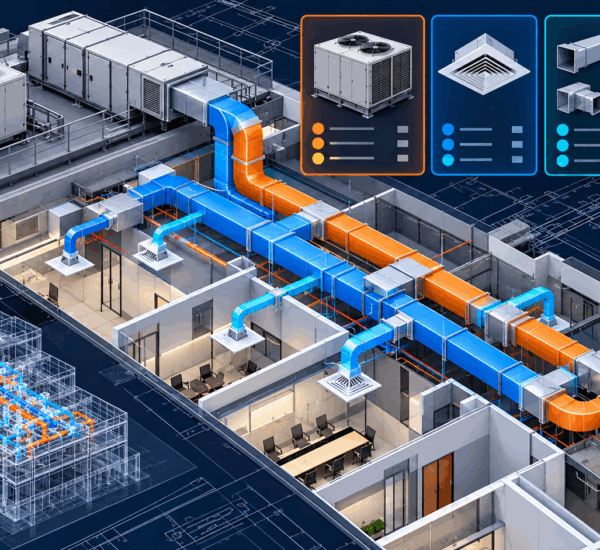
An HVAC workflow may identify AHUs, RTUs, VAV boxes, fans, diffusers and grilles while measuring ductwork by size and system. The estimator checks schedules, transitions, fittings, insulation rules and differences between plan routing and fabricated quantities.
These workflows share an architecture, but they do not share identical detection classes or validation rules. Each trade should be evaluated independently.
What AI can automate—and what it should not decide alone
| Suitable for AI assistance | Requires estimator authority |
|---|---|
| Repeated symbol location | Final scope inclusion or exclusion |
| Initial counts by mapped class | Interpretation of ambiguous callouts |
| Scale-calibrated plan measurement | Installed-length allowances |
| Sheet indexing and metadata extraction | Commercial treatment of alternates |
| Low-confidence prioritization | Pricing, labor and productivity |
| Revision comparison support | Approval of final bid quantities |
The boundary protects both accuracy and accountability. AI is strongest where work is repetitive and visually consistent. Estimators are strongest where specifications, constructability, commercial judgment and incomplete information must be resolved.
How to evaluate AI takeoff on your own PDFs
Use a completed project that your team has already taken off manually. Include representative drawing quality, a legend, at least one schedule or riser, and a revision if those are common in your work.
Evaluate the system by class rather than using one overall accuracy percentage. Record:
- Manual reference quantity
- Initial AI-generated quantity
- False positives
- Missed items
- Corrections required
- Review time
- Final approved quantity
For lengths and areas, also record the scale check and measurement tolerance. For schedule-based items, record whether the plan and schedule agreed. For revisions, record whether superseded quantities remained isolated.
The most useful metric is not how quickly the first total appears. It is how efficiently an estimator can reach a trusted, explainable final result.
Common failure modes
Treating every PDF as equivalent
Vector drawings, scans and photographs create different technical conditions. Test the files you actually receive.
Trusting the title-block scale without validation
Exported or resized PDFs can produce plausible but incorrect lengths. Confirm scale against a known dimension.
Counting before reading the legend
Generic symbol assumptions create class errors that spread across the entire set.
Ignoring schedules and risers
Plan-only takeoff can omit equipment, vertical piping and other scope that lives elsewhere.
Reporting totals without locations
An untraceable total is difficult to review and difficult to defend.
Mixing revisions
Quantities from superseded and current sheets should never merge silently.
Sending unreviewed quantities into estimating
Automation should reduce repetitive work, not remove the approval gate.
What a defensible takeoff audit trail should preserve
Traceability is useful during the bid, but it becomes even more valuable when quantities are questioned later. A defensible audit trail should allow a reviewer to reconstruct what information was available and which decisions changed the result.
For every approved quantity package, retain:
- The drawing issue and sheet register used for processing
- The project-specific legend and class map
- The scale calibration record for measured sheets
- The original detected items and measurement paths
- Items added, removed or reclassified by the estimator
- Schedule, riser or detail references used in reconciliation
- Direct measurements separated from rule-based allowances
- The reviewer, approval date and export version
This record does not need to create additional administrative work. The review interface can capture most of it while the estimator performs normal corrections. The important design principle is that changes should not overwrite their source without history.
Audit data also supports continuous improvement. If one symbol class is repeatedly corrected, the team can inspect whether the cause is poor training coverage, an ambiguous legend or an unsuitable confidence threshold. If one design office produces frequent scale or sheet-index problems, intake rules can be adjusted for that source.
The result is more than a quantity schedule. It is an explainable package showing what the software proposed, what the estimator changed and which drawing revision governed the final output.
Frequently asked questions
Implementation takeaways for construction teams
Successful implementation begins with a narrow, measurable use case. Select one trade, a representative drawing set and quantity classes that consume meaningful estimator time. Define the output and review process before selecting technology.
During the first projects:
- Keep the manual or historical reference available.
- Review results by class instead of relying on an overall total.
- Record why estimators change an item.
- Separate drawing-quality problems from model problems.
- Keep derived allowances outside the raw measured quantity.
- Review every revision under the same document-control process.
Assign ownership across estimating, technology and operations. Estimators should own classification and approval rules. Technology teams should own access, interfaces and reliability. A product or development partner should document supported conditions and respond to correction patterns.
Do not begin by automating every discipline. A stable workflow for common classes creates more usable evidence than a broad demonstration with unclear boundaries. Once the team can reliably move from drawing intake to approved export, additional classes and trades can be prioritized using real project data.
Finally, measure outcomes that matter to the business: estimator time to approval, correction effort, consistency across reviewers and ability to trace quantities during bid review. These measures connect the technology to preconstruction capacity without turning one pilot into an unsupported savings promise.
Can AI takeoff software read scanned PDF plans?
It can process scanned plans, but results depend heavily on resolution, skew, contrast and line clarity. Scanned drawings generally require more preprocessing and estimator review than clean vector PDFs.
Can AI calculate material costs from a PDF drawing?
AI takeoff software primarily produces quantities. Material pricing, labor, overhead, tax, markup and bid strategy belong to estimating. A custom workflow may connect approved quantities with estimating data, but the two functions should remain clearly distinguished.
Does AI takeoff replace a construction estimator?
No. It assists repetitive detection and measurement. The estimator remains responsible for scope, specifications, revisions, assumptions, corrections and final approval.
How accurate is AI takeoff software?
There is no responsible universal percentage. Accuracy varies by drawing quality, trade, symbol class, scale, training coverage and review process. Evaluate performance per class using a known plan set.
Can the output integrate with estimating or ERP software?
Approved quantities can be exported in structured formats, and system integrations may be possible where the target platform exposes a suitable interface. Feasibility should be confirmed for the specific system and workflow.
What files should a contractor provide for a demonstration?
Provide a representative PDF plan set, the relevant legends and schedules, a manually completed takeoff if available, and a description of the quantity categories and downstream workflow you want to evaluate.
See the workflow on your drawings
The best way to assess PDF quantity extraction is not a prepared vendor sample. It is a plan set your estimators already understand.
DreamzTech can walk through drawing intake, detection, scale verification, estimator review and quantity handoff using your own sheets. Request an AI takeoff software demo to evaluate what fits your current process, what requires configuration and where custom development may be the more appropriate route.